Getting Started
17
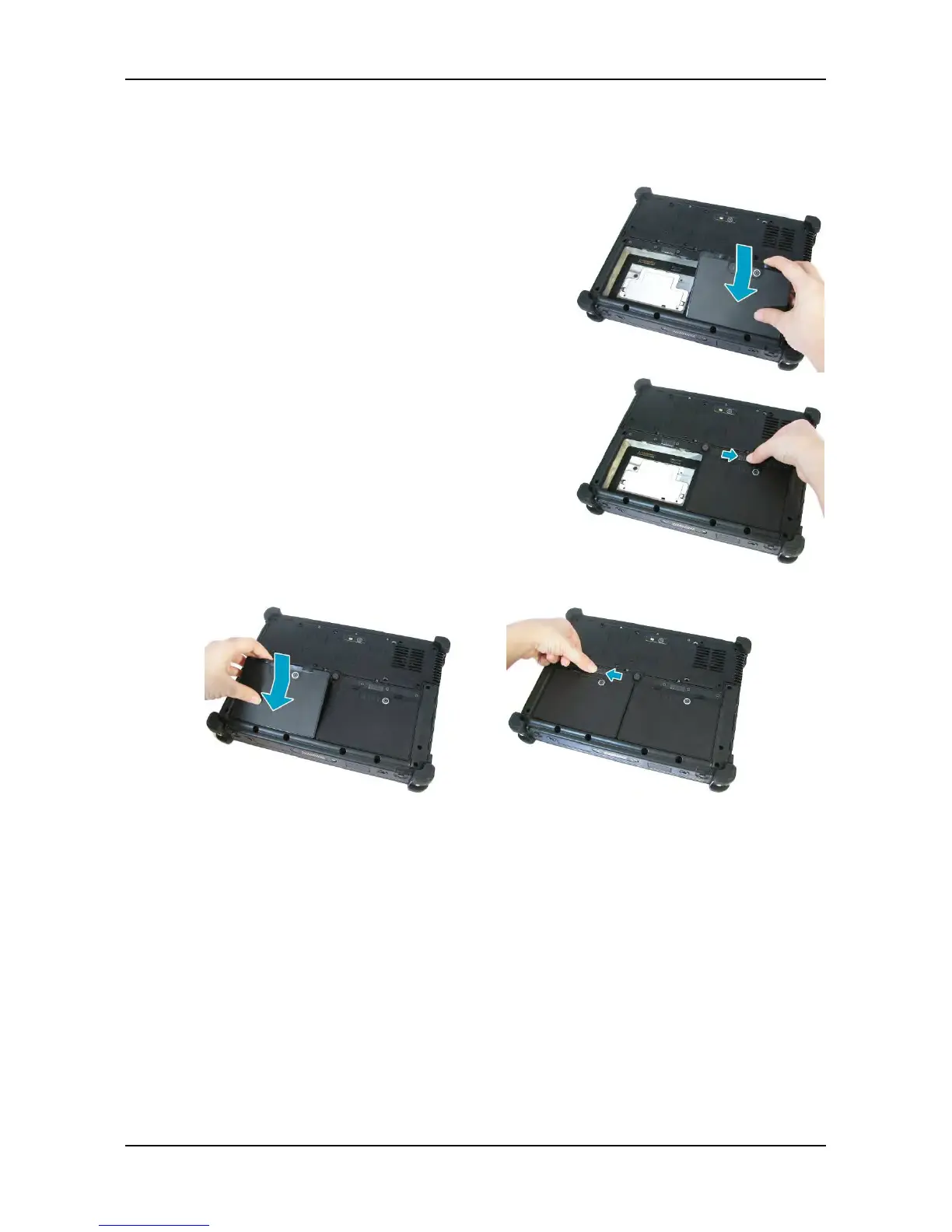
Installing the Batteries
To install the batteries, follow the steps below:
1. Align and insert the first battery to the battery
compartment.
2. Push completely until the battery locks into
place.
3. Slide the battery latch to the lock position to
secure the battery.
4. Repeat Step 1 to 3 to insert the second battery.
Charging the Battery
The Lithium-ion battery is not fully-charged upon purchase.
To charge the battery, follow the steps below:
1. Install the battery to your tablet PC. See procedures above.
2. Connect the AC adapter to the DC-in jack of your tablet PC.
3. Connect the AC adapter to the power cord.
4. Plug the power cord to an electrical outlet.



 To Next Page