Getting Started
22
Using the Memory Cards
Your tablet PC supports different types of memory cards to provide faster data
transfer. Supported types are as follows:
• SD card
• SDHC card
• Mini-SD card (with adapter)
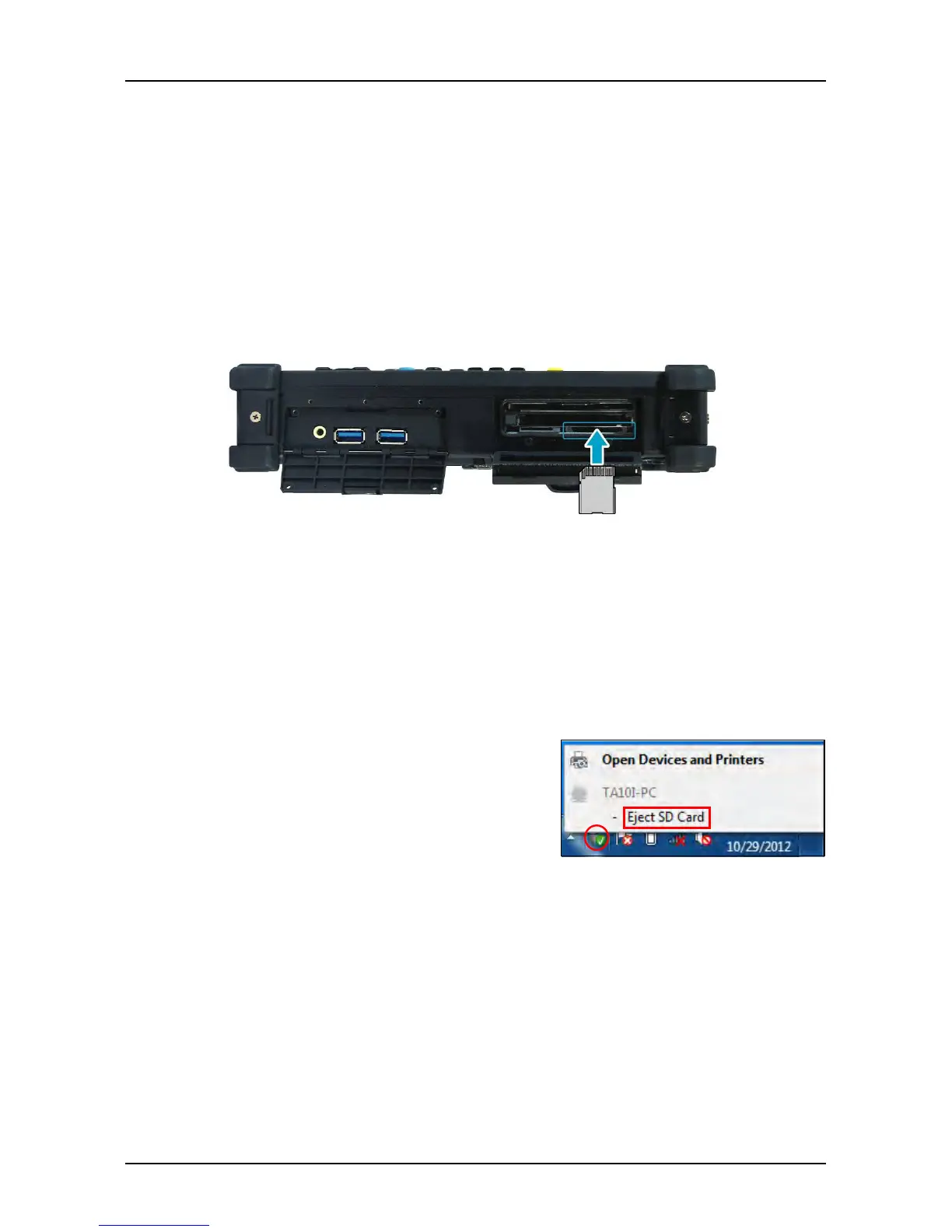
Inserting a Memory Card
With the label side down, push the memory card into the memory card slot until
it clicks into place.
Removing a Memory Card
It is important to remove the memory card properly. Improper removal may
cause the data in the memory card to be corrupted and your tablet PC to
malfunction.
To properly remove the memory card, follow the steps below:
1. Tap the removable disk icon on the system
tray.
2. Tap Eject SD Card.
The system confirms that the device can be
safely removed.
3. Push the memory card to eject it.
4. Pull the card out from the slot.



 To Next Page