Page 18 of 46
2.
The bulk download feature will send a request to MobileODT’s servers to
export all of your data in encrypted files. Processing the request may take
between several minutes to hours.
3. Once
the Processing is complete, an email will be sent to your account with
a link that includes all the data you have as an encrypted ZIP file. The links
are encrypted with a PIN code and will be available for 72 hours.
4.
Each Zip file contains a CSV file, which lists all the exported data that exists
within the Zip file, and a folder containing each exam as a separate file (PDF
report and media files).
5.
Along with links to the ZIP files, you will also receive a link to a CSV file with
a summary of all downloaded exams. This summary is a content list
indicating on which ZIP file each exam exists, and if it was downloaded
successfully. If an exam were no
t downloaded, it is still available to
download manually from the portal.
6. Each download request requires a 6-
digits PIN. You will be Promoted to
create a PIN for that download. This PIN will be used to open all
ZIP files.
7. Bulk download can be generated once every 24-hour period.
EVA System software application
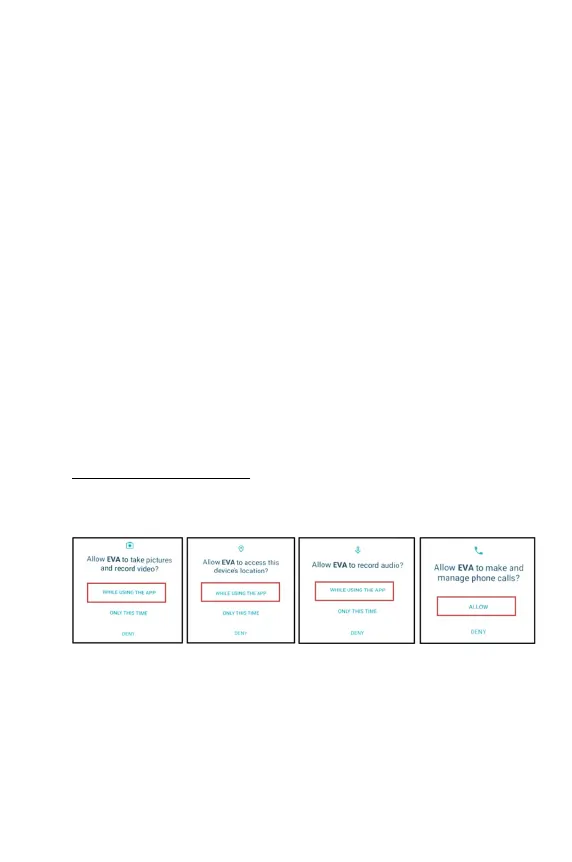
Grant the EVA app permissions
Upon first boot, grant permissions for the EVA system by pressing allow:



 To Next Page