Page 19 of 46
Setting Up a New User
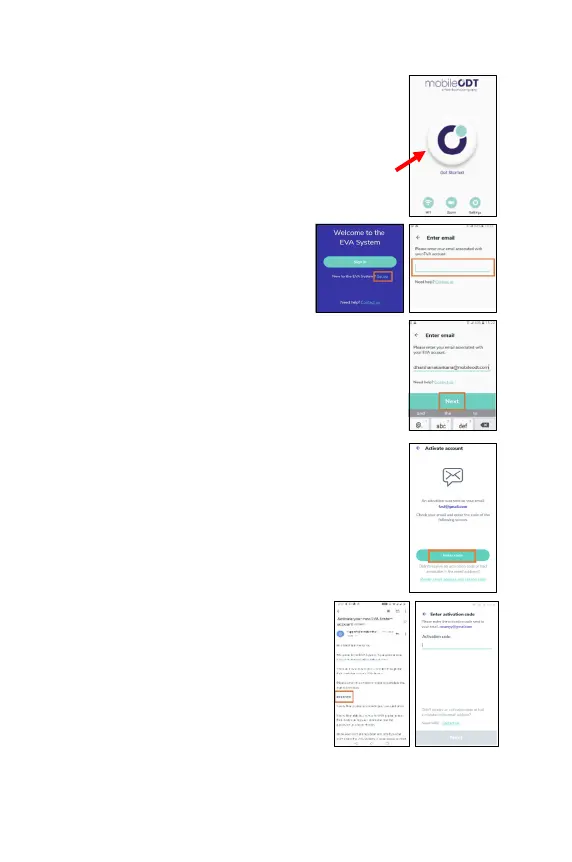
1. Enter the EVA app by clicking the start button.
2. On the Welcome screen, tap
up’.
3.
Enter the email address that was
used to create your EVA account.
4. Tap on ‘Next‘.
5.
An email is sent to that address with an activation
code that needs to be entered in the next screen. tap
on ‘Enter code’.
6.
Enter the activation code you received
in your email and tap on
example for such an email:



 To Next Page