Page 25 of 46
A summary of all entered information will be displayed
with an option to edit every field.
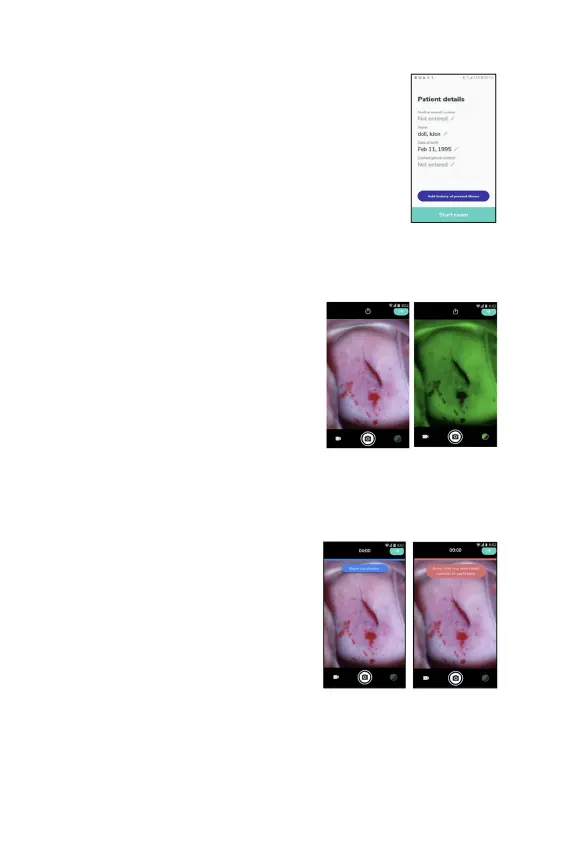
Capture images and videos
Tap on 'Start
exam' and the visualization
screen will be displayed.
Follow these steps to ensure you are
capturing clinically-
images:
●
Adjust the device at the appropriate
working distance from the patient
(typically between 17-42 cm).
● Adjust the
fine focus knob to achieve
optimal focus.
●
Pinch in or out with your fingers on the
screen to zoom in and out.
●
To use the green filter, tap on the green
button on the bottom right.
After applying acetic acid, it is
recommended to use the timer. After
applying acetic acid to the cervix, tap on the
stopwatch icon at the top of the screen. A
countdown of one minute will start. After
one minute another countdown of four
minutes will star
t. It is advisable to take and
capture images and biopsies within this 4-
minute window of time.
Capture images by tapping the capture button on the bottom middle of the screen
or by clicking the image capture trigger on the device handle.



 To Next Page