Page 27 of 46
Add annotations
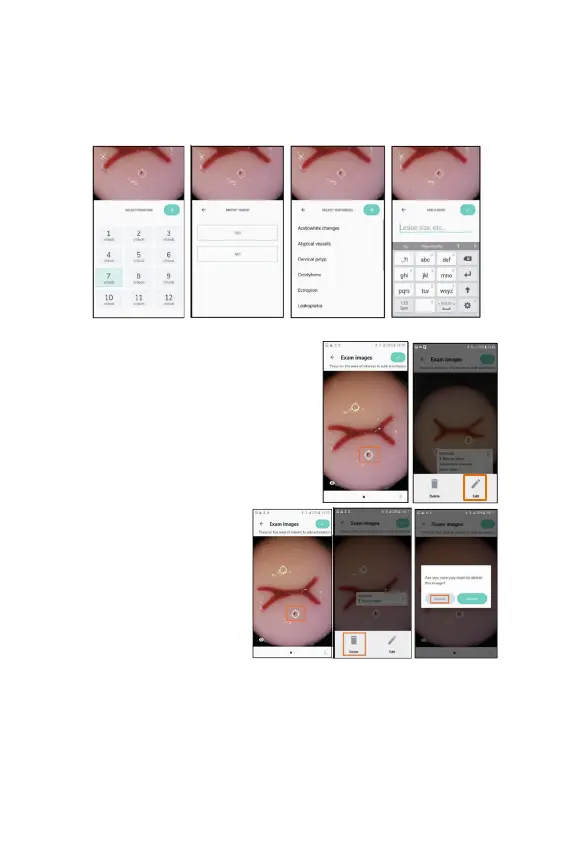
To annotate an image, tap the location on the image you would like to annotate,
and follow the suggested options to record the relevant details.
To edit an annotation, tap on the annotation
and tap on edit, following the suggested
options to edit the relevant details.
To delete an
the annotation and tap on
delete. A warning confirming
that you want to delete that
annotation is shown.
After all the data is entered tap
on the green button at the top
right of the screen.



 To Next Page