Page 32 of 46
In the 'Uploaded' tab the
examinations that finished
uploading are displayed for 24 hours. Afterward, the
exams can be viewed on the EVA portal:
https://eva.mobileodt.com.
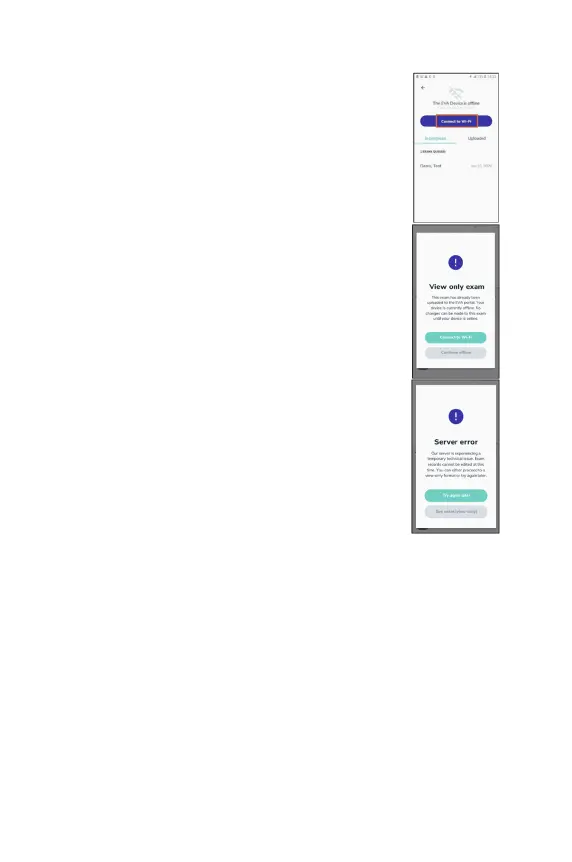
If the device is not connected to Wi-
connect to Wi-
Fi is presented. The upload process only
works if the device is connected to the internet.
If the device is not connected to Wi-
device will be available in ‘view mode’ only.
If there is a server error the exams will also be available
in ‘view-mode’ only.
Deleting an exam
Users are able to delete exams and remove them permanently from that
particular EVA Device.
Exams can only be deleted if they have either been one of the following:
● Synced to the online EVA Portal (where they are stored permanently unless
deleted from the Portal,)
● Exported as a ZIP file to the device Export internal storage for manual export
via USB.
● Were a draft exam that was never completed.



 To Next Page