Mobileye Proprietary and Confidential
support@mobileye.com
11. Locate the “TAC Target” exactly in the middle of the vehicle’s front bumper
(for cars – close as possible to the front bumper, for trucks – 1 meter away from
front bumper )
12. Using the image feed (camera installation slide) start gluing the Camera from
the top down, maintaining the horizontal lines in the scene ahead as the
horizontal lines in the image window. When completed, firmly attach the
camera to the windshield.
NOTE: Before attaching the Main Unit verify there is enough room to dismantle the
Main Unit back covers using a small Philips screw driver.
NOTE: For Truck and Bus installations first remove the Mail Unit back covers, Slide
the Camera Down the railing to Level 6 and then follow steps 5 to 12.
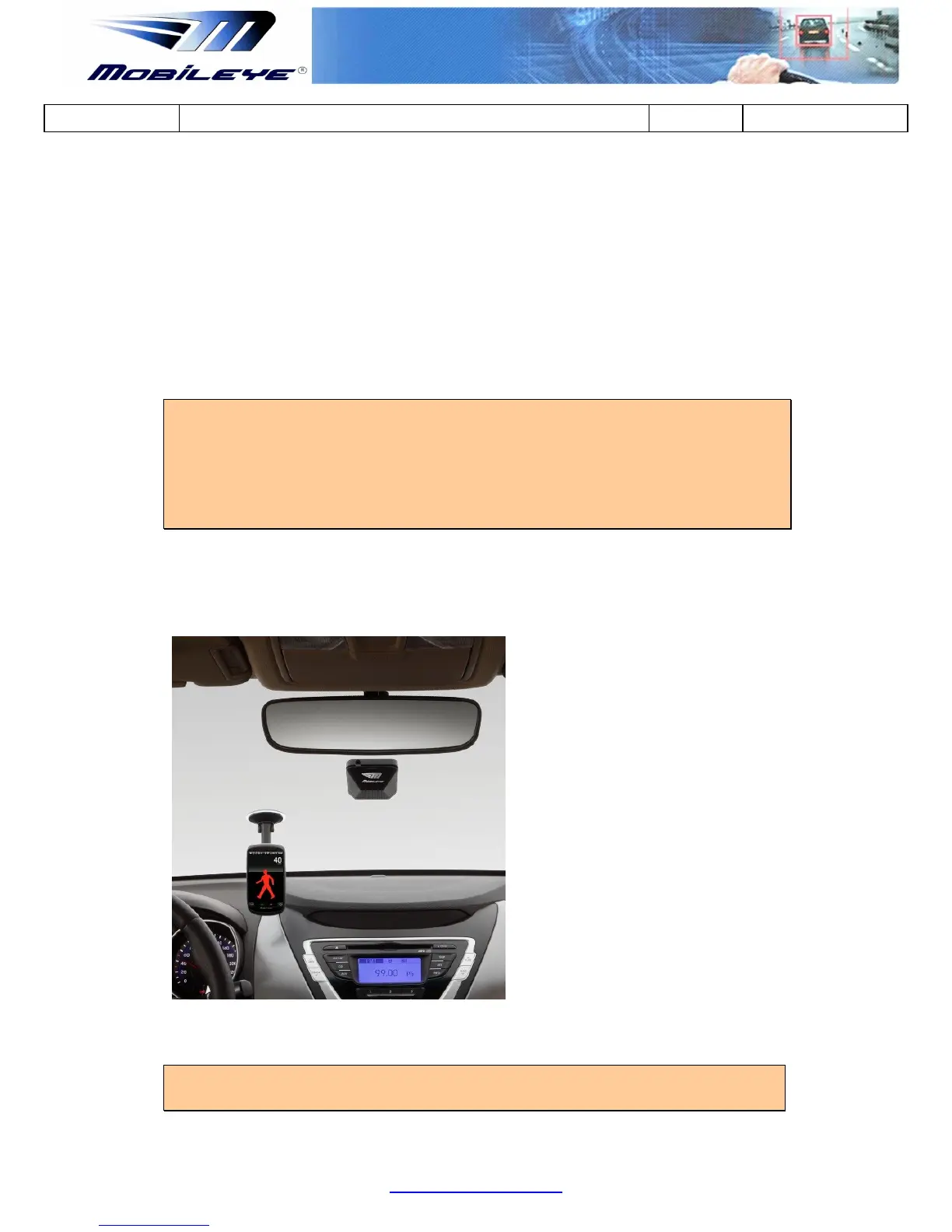
The image below shows the Main Unit (Camera) attached to the front windshield,
typically behind the rear view mirror. The Green L.E.D on the back of the Main Unit
indicates that the Mobileye 5 is receiving power.
Figure 1-10 Vision Sensor Unit located on the windshield behind the rear view mirror
NOTE: At the end of this process, all the system components are connected and all
Mobileye 5 components are attached to the vehicle and connected to the Laptop PC



 To Next Page