IG7600 Administration Manual
Copyright 2013 Tecom, Co. LTD. All rights reserved Page 4 of 4
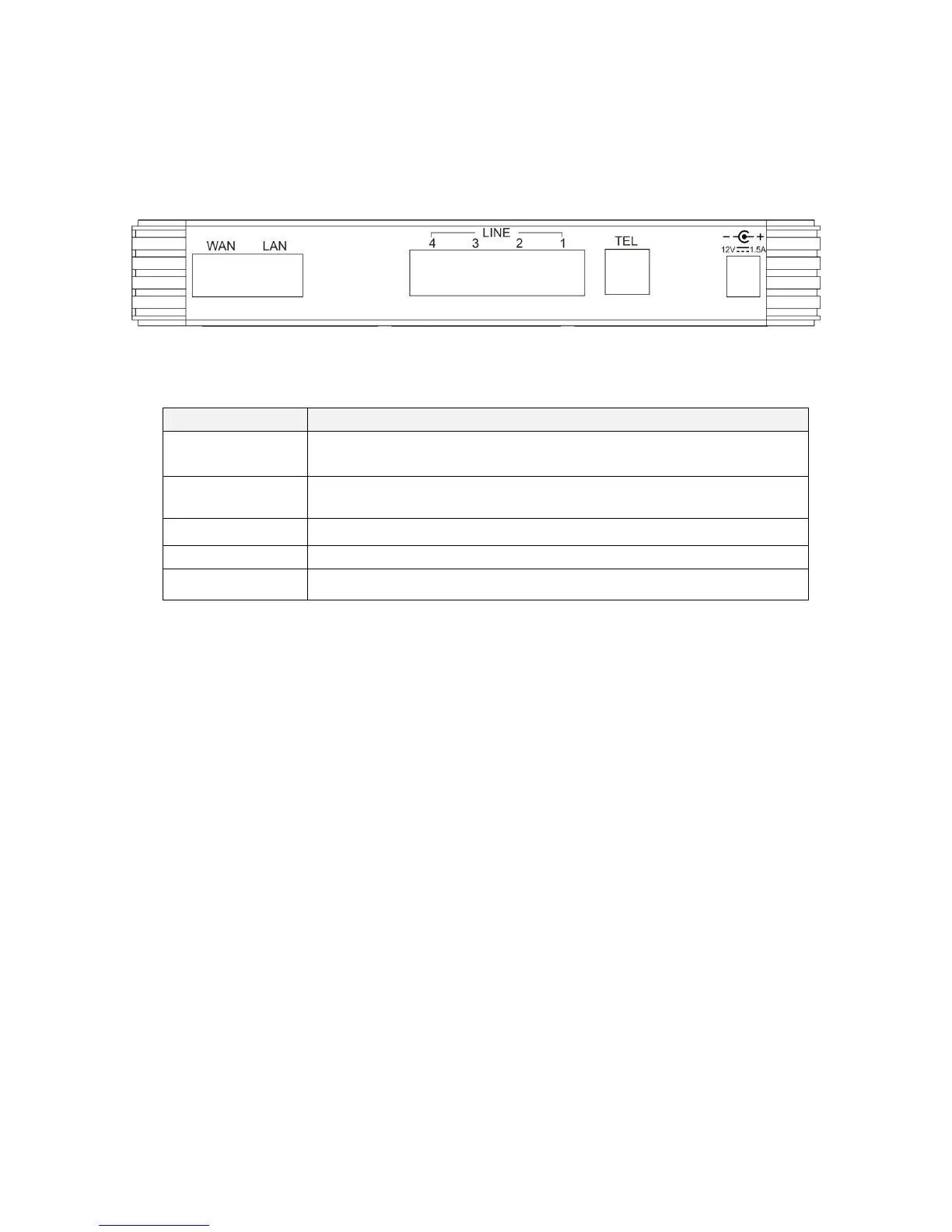
2.2 Rear Panel
The rear panel contains the ports for the IG7600's data and power connections.
Figure 2-2. Rear Panel of IG7600
Label Function
WAN
RJ-45 connector: Connects the device to your cable modem, or to your
ADSL Modem. It’s to connect to the remote network.
LAN
RJ-45 connector: Connects the device to your PC's Ethernet port, or to the
uplink port on your LAN's hub.
Line (1-4) RJ-11 connector: Connects the device to your PSTN lines.
TEL RJ-11 connector: Connects the device to your analog phone.
Power Connects to the supplied power converter cable.



 To Next Page