IG7600 Administration Manual
Copyright 2013 Tecom, Co. LTD. All rights reserved Page 57 of 57
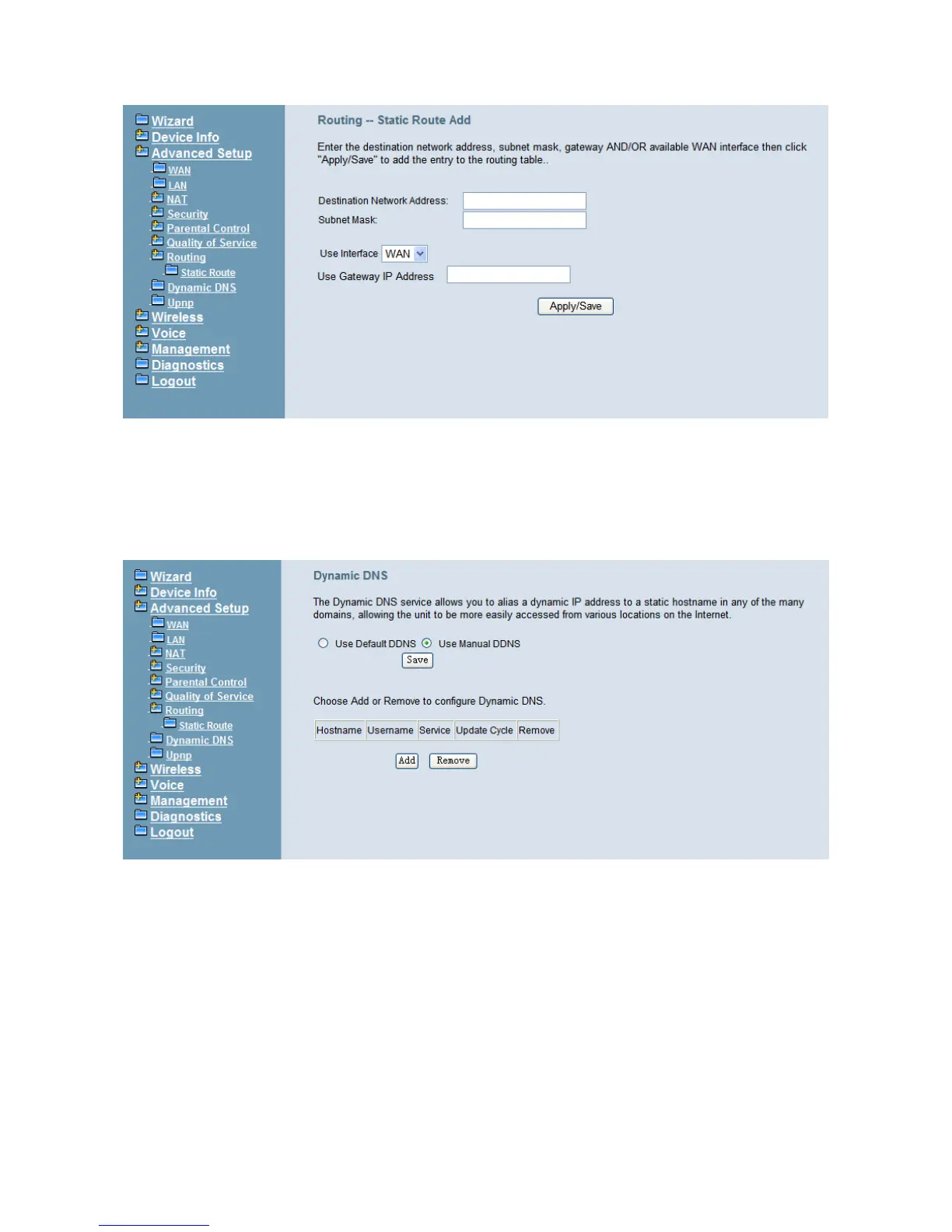
Figure 6-28. Advanced – Route – Static Route – Add
6.4.9 Dynamic DNS
The Dynamic DNS service allows you to alias a register domain name to a dynamic IP
address. It allows IG7600 to be more easily accessed from various locations on the
Internet. Click “Add” or “Remove” to configure Dynamic DNS. (Figure 6-29)
Figure 6-29. Advanced – Dynamic DNS
Now IG7600 support for three DDNS provider, DynDNS.org and TZO and custom
provider. Specify the register hostname and choose the related interface. Fill in the
username/password or email/key and click “Apply/Save”. IG7600 will update the current
IP with DDNS provider when click “Apply/Save” or system reboot successfully. IG7600 will
also update the current IP automatically with DDNS provider in the programmed Update
Cycle. (Figure 6-30, Figure 6-31, Figure 6-32)



 To Next Page