IG7600 Administration Manual
Copyright 2013 Tecom, Co. LTD. All rights reserved Page 45 of 45
6.4 Advanced Setup
Advanced Setup allows system administrator to configure the following topics:
WAN
LAN
NAT
- Virtual Servers
- Port Triggering
- DMZ Host
Security
- IP Filtering
Outgoing
Incoming
Parental Control
- Time Restriction
- URL Filter
Quality of Service
- DSCP Marking
- Bandwidth Control
Routing
- Static Route
Dynamic DNS
Upnp
6.4.1 WAN
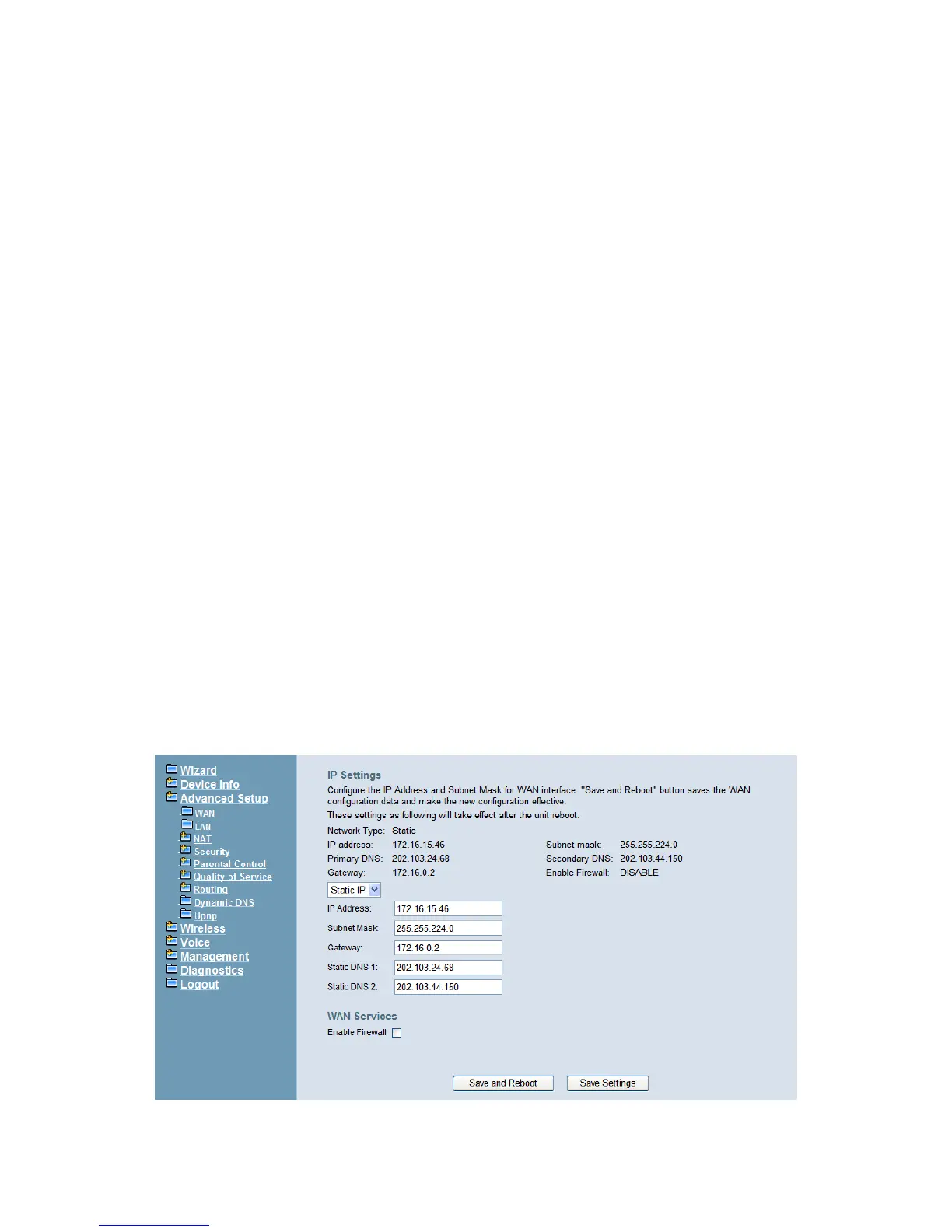
There are three modes that you can give WAN IP address to IG7600: Static IP mode,
DHCP mode and PPPoE mode. You can also enable or disable Firewall.
Network Address Translation (NAT) allows you to share one public WAN IP address for
multiple computers on your LAN side. In IG7600, NAT is enabled by default and is not
shown on the page to prevent it from being disabled.
This page shows the setting of WAN interface which is Static IP mode (Figure 6-8).
Figure 6-8. Advanced – WAN (Static IP Mode)



 To Next Page