IG7600 Administration Manual
Copyright 2013 Tecom, Co. LTD. All rights reserved Page 8 of 8
3.8 Call By Name
IG supports Call by Name now, but it is not enabled as default. We should activate it
manually before we use it.
Get ready for dial by name process:
1
st
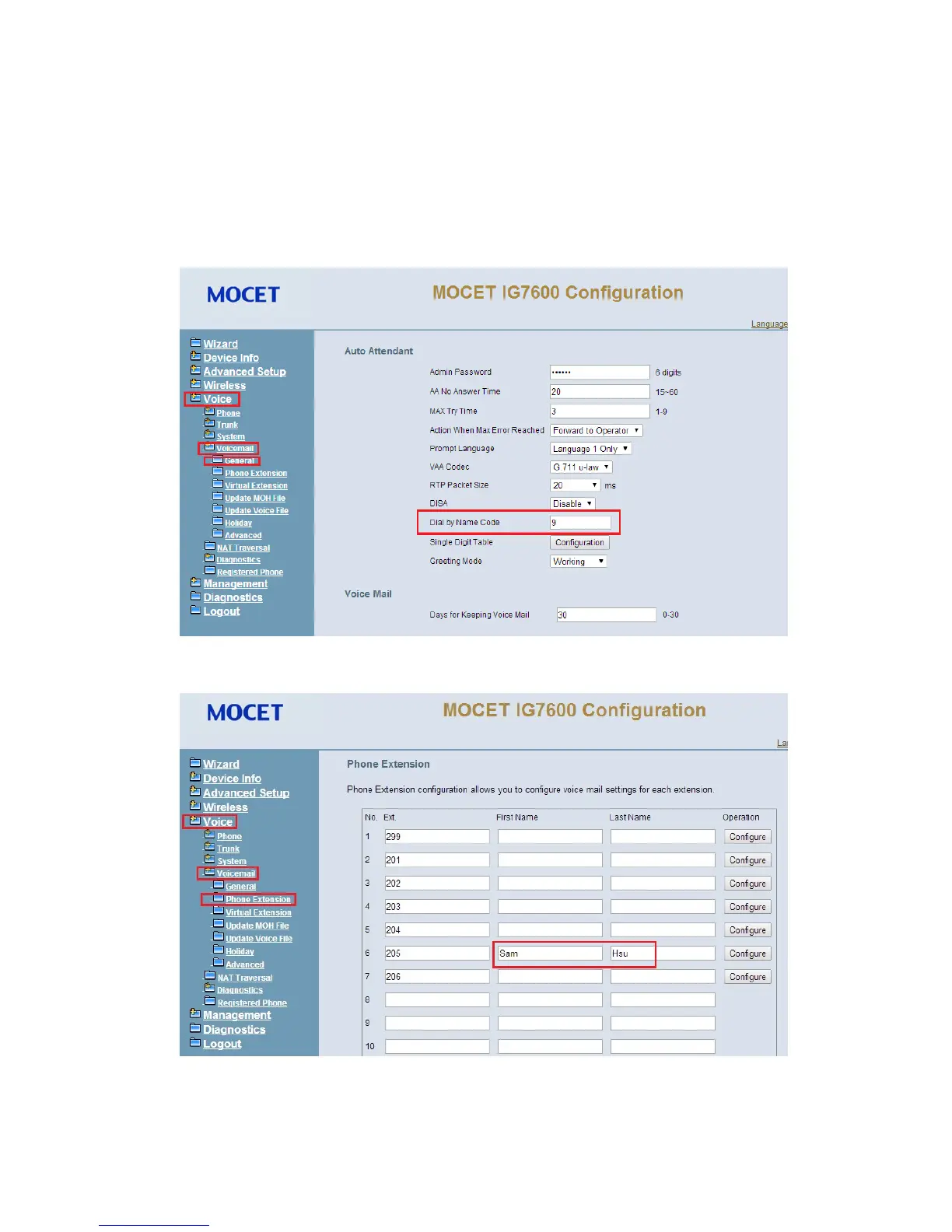
find the web page Voice-> Voice Mail->General->Auto Attendant->Dial by Name
Code and We input a number ( for example “9“) here to use it as a dial by name code.
2
nd
configure extension user name, for example “Sam Hsu” for extension 205, in
Voice->Voice Mail->Phone Extension page as below.
3
rd
Dial 500(as the default Voice mail service number) or pressing “Message” button
on IP phone (#205)



 To Next Page