IG7600 Administration Manual
Copyright 2013 Tecom, Co. LTD. All rights reserved Page 116 of 116
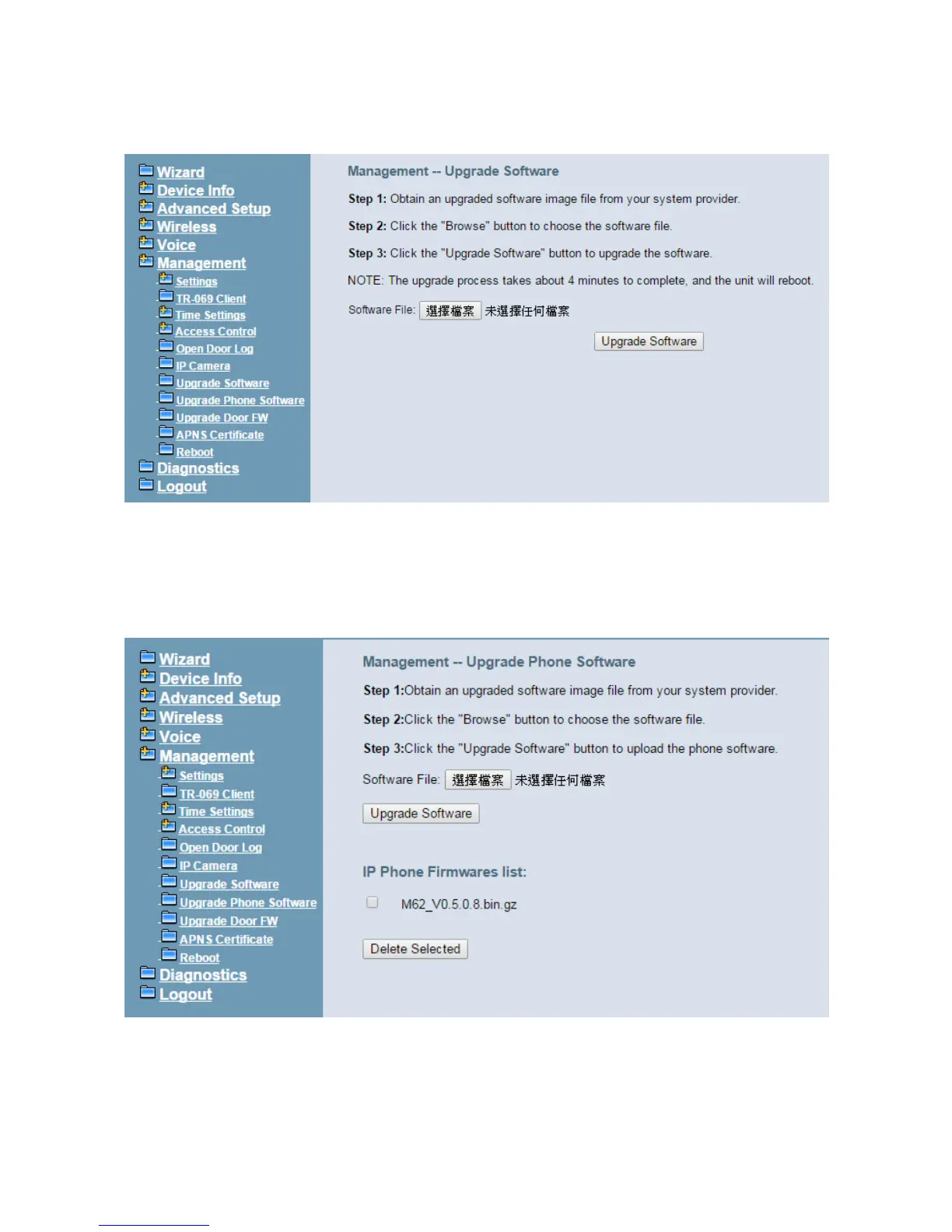
to process the software update. NOTE: The upgrade process takes about 5 minutes to
complete, and your IG7600 will reboot. (Figure 6-103)
Figure 6-103. Management – Upgrade Software
6.7.8 Upgrade Phone Software
Upgrade Phone Software page is for you to manage your IP Phones’ software, when the
IP Phone Extensions’ software is different from the one we stored in system, IG will ask
the IP Phone to upgrade its software using the image we stored.
You can delete the software if you don’t want to use it.(Figure 6-104)
Figure 6-104. Management – Upgrade Phone Software
6.7.9 Upgrade Door FW
Upgrade Door FW page is for you to manage your Door Phones’ firmware. When the Door
Phone Extensions’ firmware is different from the one we stored in system IG will ask the



 To Next Page