IG7600 Administration Manual
Copyright 2013 Tecom, Co. LTD. All rights reserved Page 37 of 37
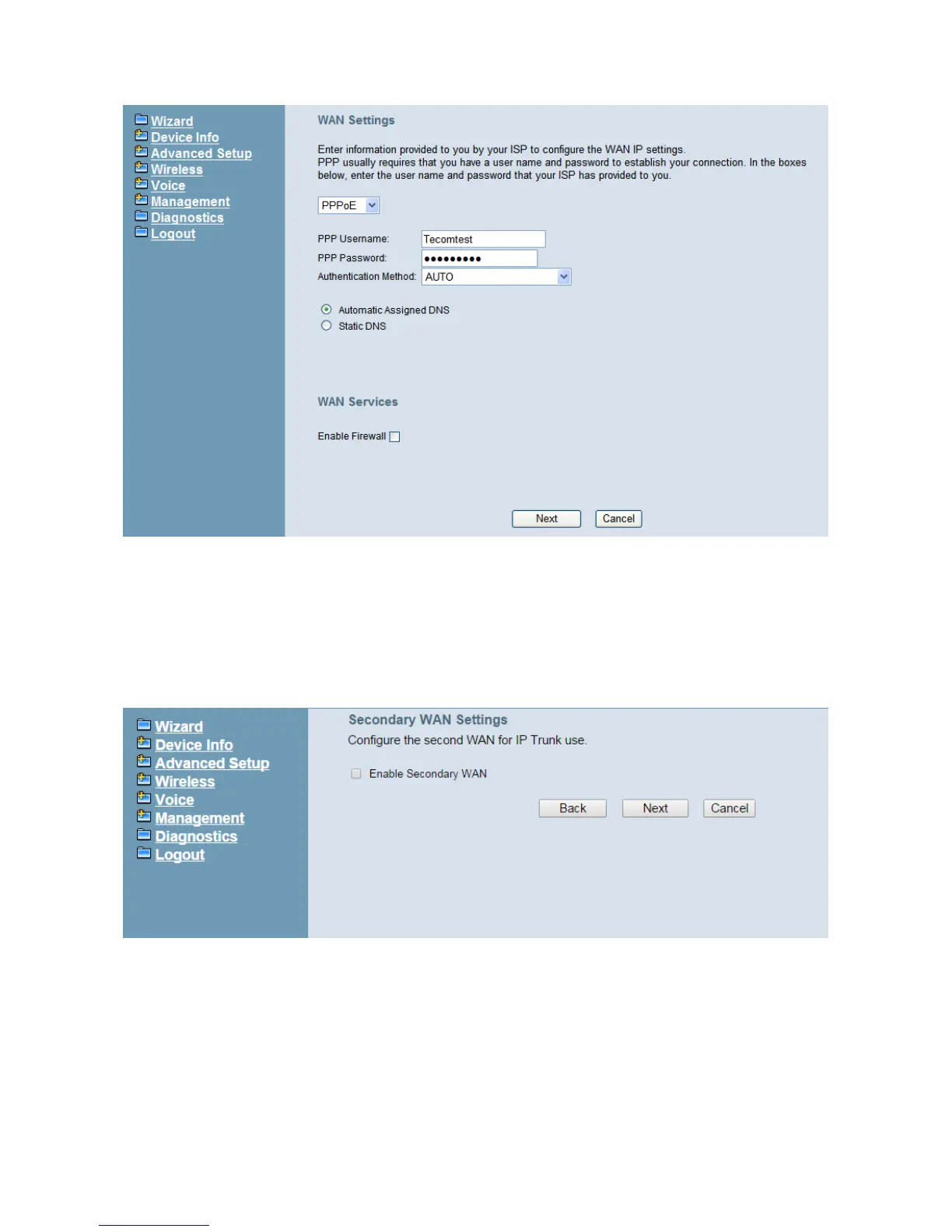
Figure 5-3. Wan Settings (PPPoE mode)
5.2.2 Secondary WAN Setting
IG7600 supports secondary WAN which is dedicated for IP Trunk. If you check “Enable
Secondary WAN” then it will turn LAN port into secondary WAN port. And you still can use
wireless interface for LAN access. Regarding secondary WAN settings, please refer to
5.2.1 WAN settings.
5.2.3 LAN Setting
This page (Figure 5-4) allows you giving LAN IP and Subnet Mask for LAN interface. You
can also select to enable or disable DHCP Server and configure related settings for that
mode.



 To Next Page