IG7600 Administration Manual
Copyright 2013 Tecom, Co. LTD. All rights reserved Page 50 of 50
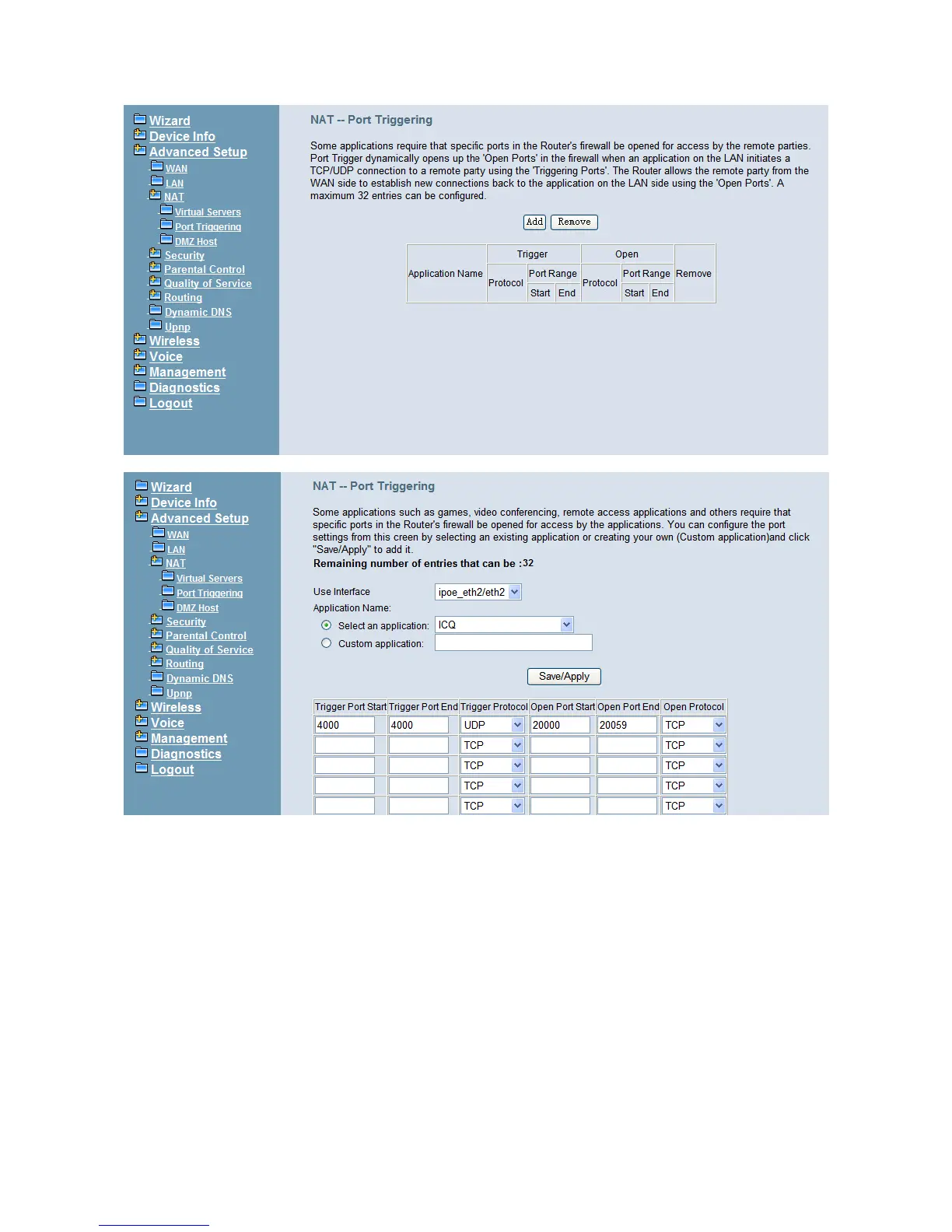
Figure 6-14. Advanced – NAT – Port Triggering
Figure 6-15. Advanced – NAT – Port Triggering – Add
6.4.4.3 DMZ Host
IG7600 will forward IP packets that do not belong to any of the applications configured in
the Virtual Servers table to the DMZ host computer. Enter the computer's IP address and
click "Save Settings" to activate the DMZ host. Clear the IP address field and click "Save
Settings" to deactivate the DMZ host. (Figure 6-16)



 To Next Page