IG7600 Administration Manual
Copyright 2013 Tecom, Co. LTD. All rights reserved Page 63 of 63
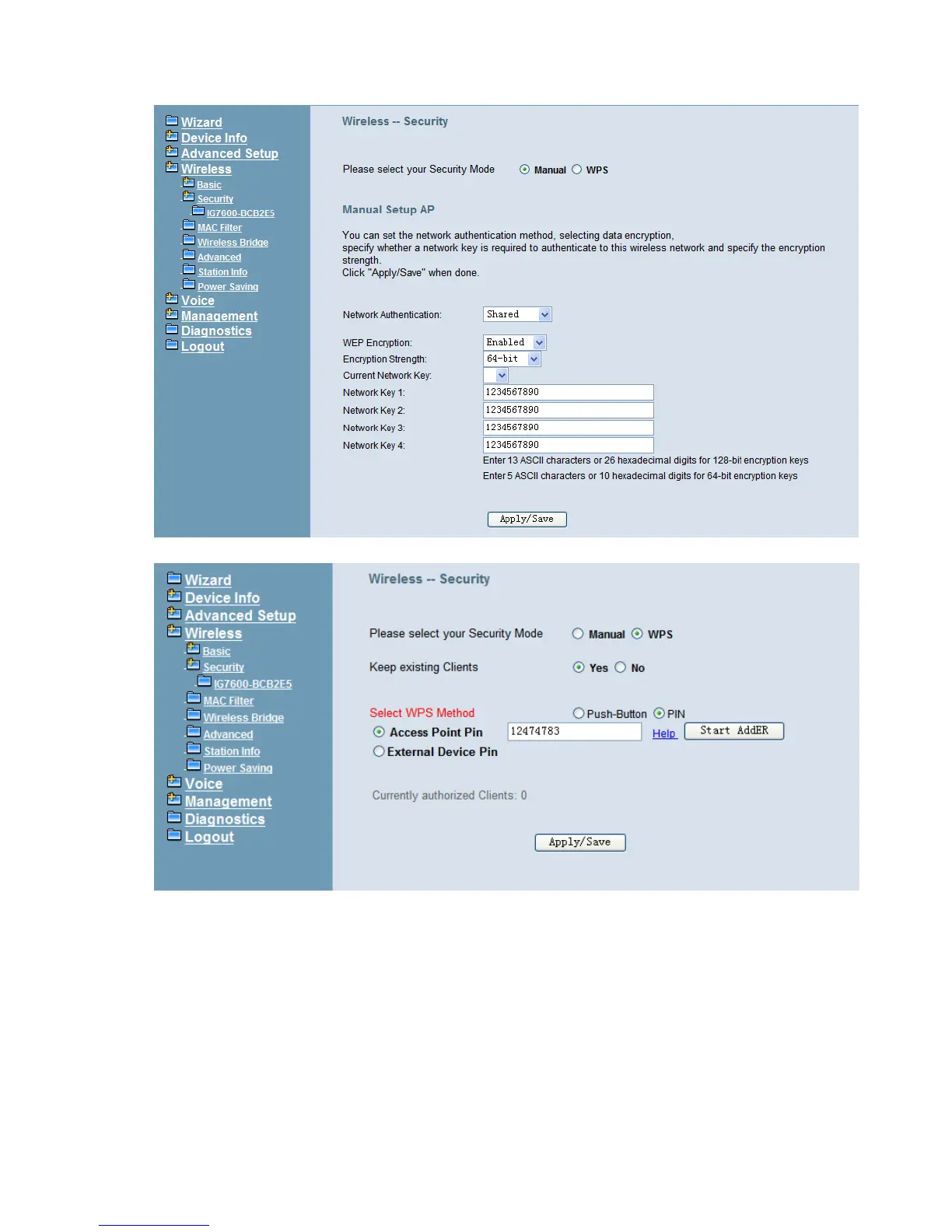
Figure 6-37. Wireless – Security – 1
Figure 6-38. Wireless – Security – 2
WEP Encryption: Selecting Disabled disables WEP data encryption. Selecting
Enabled enables WEP data encryption and requires that a valid network key be set
and selected unless 802.1X is enabled.
WEP, short for Wired Equivalent Privacy, is a protocol for wireless LANs or local area
networks. This WEP is defined in the 802.11 Standard. WEP is designed so security
levels are maintained at the same level as the wired LAN. WEP’s aim is to provide
security by encrypting data over radio waves. WEP protects data as it’s transmitted
from one end point to another. WEP is used at two lowest layers, the data link and



 To Next Page