IG7600 Administration Manual
Copyright 2013 Tecom, Co. LTD. All rights reserved Page 80 of 80
If there is no any dialed number after the setting time, the number will be sent out
immediately. Its range is form 2 to 9 seconds.
Pause Time:
The pause time of alphabet “p” in the process of call dialing
Session Timeout:
It means the longest communication time for IP trunks, zero means no restriction.
RPort:
When client is behind a NAT, the rport and received filed can allow SIP proxy to
append the public IP address and port of NAT and transfer SIP message correctly.
Choose “Enable” to use this function.
Transmission Timer:
If an outgoing trunk call matches more than one entries in Call Routing Table, if the
former matched entry gets timeout after this specific seconds, IG7600 will try the next
one.
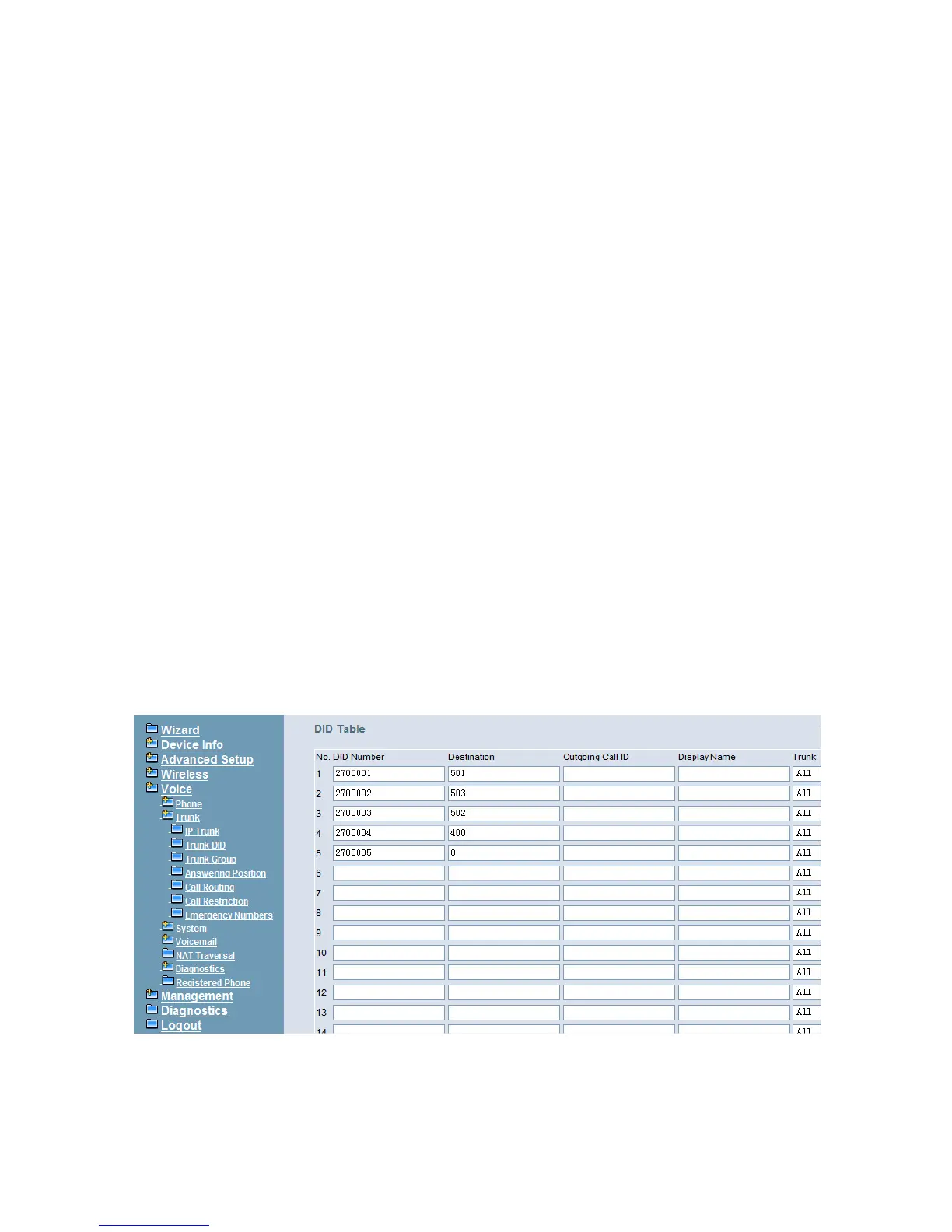
6.6.2.2 Trunk DID
The table offers its individual phone number for each extension (Figure 6-53). Up to
100 DID number are supported.
DID Number: It’s the assigned phone number from uplink server for incoming calls. If
“Outgoing Call ID” is null, it will be as Caller ID number for outgoing calls also.
Destination: the specified ringing extension(s) for the individual DID phone number.
Outgoing Call ID: It’s the assigned Caller ID number from uplink server.
Display Name: the specified extension user name for the individual number. It will be
used as Caller ID name in the outgoing calls.
Trunk: The DID item is for the specified trunk(s). If it’s “All”, the DID number can be
applied to all IP Trunks.
Figure 6-53. Voice – Trunk – Trunk DID



 To Next Page