Tethys D60 - Tethys T60 - Tethys T45 SHORT-FORM MANUAL
2 USING THE APPLIANCE
2.1 CONTROL PANEL
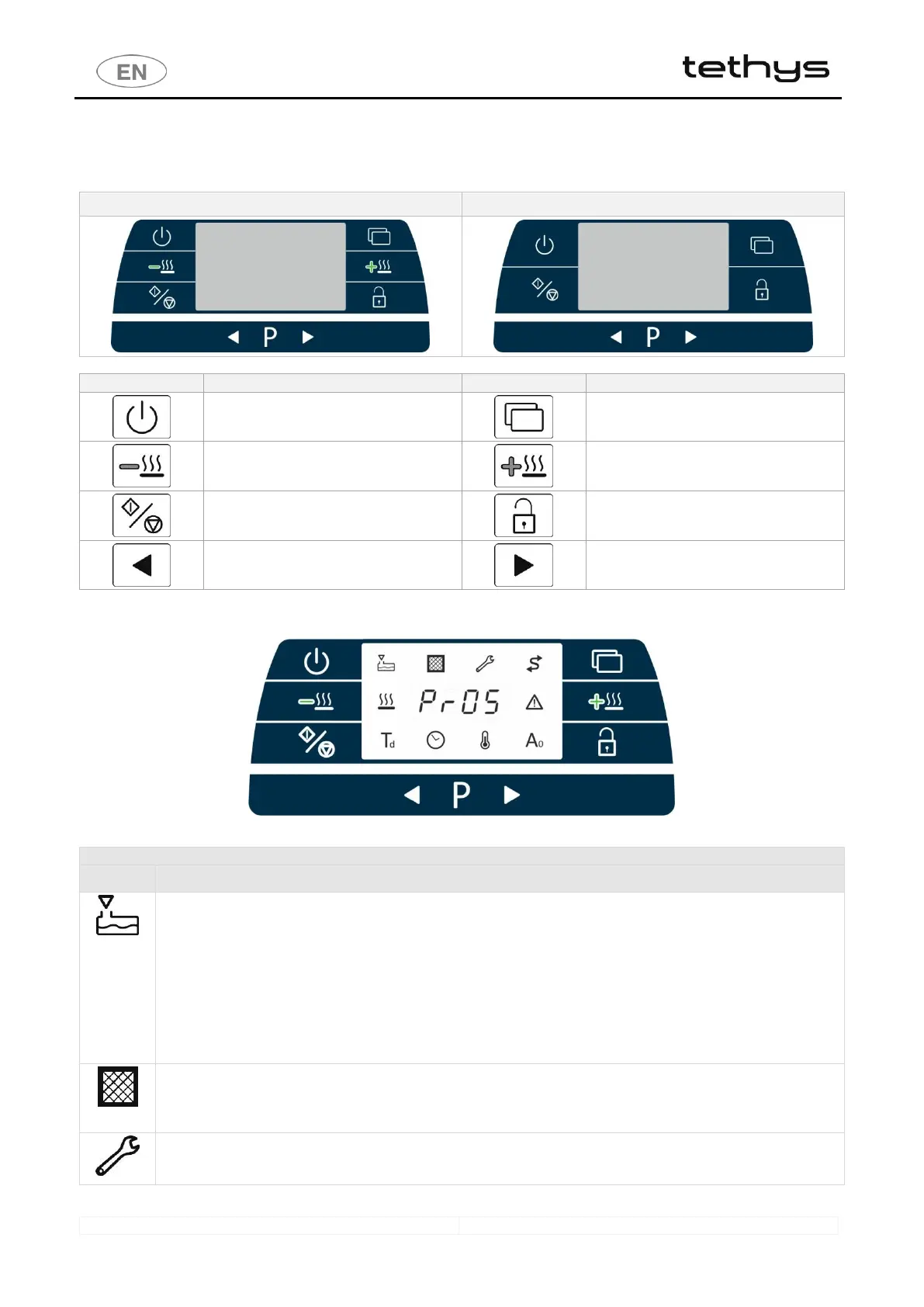
Tethys T60, Tethys T45 CONTROL PANEL
2 - Drying Decrease (if present)
6 - Drying Increase (if present)
4 - Left selection, decrease value
8 - Right selection, increase value
2.2 INDICATOR LEDS
fig. 1 – Control panel: digit area in the centre with indicator LEDs around the perimeter
1 - SYMBOLS ASSOCIATED TO A WARNING
Lack of detergent
Lights up if the detergent level sensors are installed and one of them is at "minimum" level. The warning is displayed
at the end of the cycle and, in combination with the LED, the segment display shows the code of the detergent to
which the warning refers:
P1: code “A- : 68” --- P2: code “A- : 69” --- P3: code “A- : 70”
Activated at the end of the cycle and when the user attempts to start a new program.
The washing cycle can be started with this light on by pressing the Start/Stop button again. If both alarms are present
(cans P1 and P2 both empty), the Start/Stop button has to be pressed twice to start the cycle. (The appliance’s
internal memory records the event). Replace the can of detergent which is running out with a new can as soon as
possible.
Maintenance: filter replacement
Only for models equipped with drying system . Active if the dryer is present and the absolute filter is installed. (The
absolute filter is optional). The LED indicates that the absolute filter needs to be replaced. Operation of the light is
triggered by the number of drying operating hours, set at 500h when the filter is new.
Appliance maintenance
The LED illuminates to indicate that the appliance requires routine servicing. These are inspection and maintenance
operations which must be performed by authorised staff to keep the appliance safe and in good working order.



 To Next Page