Tethys D60 - Tethys T60 - Tethys T45 SHORT-FORM MANUAL
2.5 INTERRUPTING THE CYCLE
A cycle in progress can be interrupted by pressing button 3 - Start/Stop. It is not possible to open the door.
- If the button is pressed again within 60 seconds: the cycle is re-started.
- If the button isn’t pressed within 60 seconds: an automatic reset cycle is performed automatically to return the machine to the
standby condition.
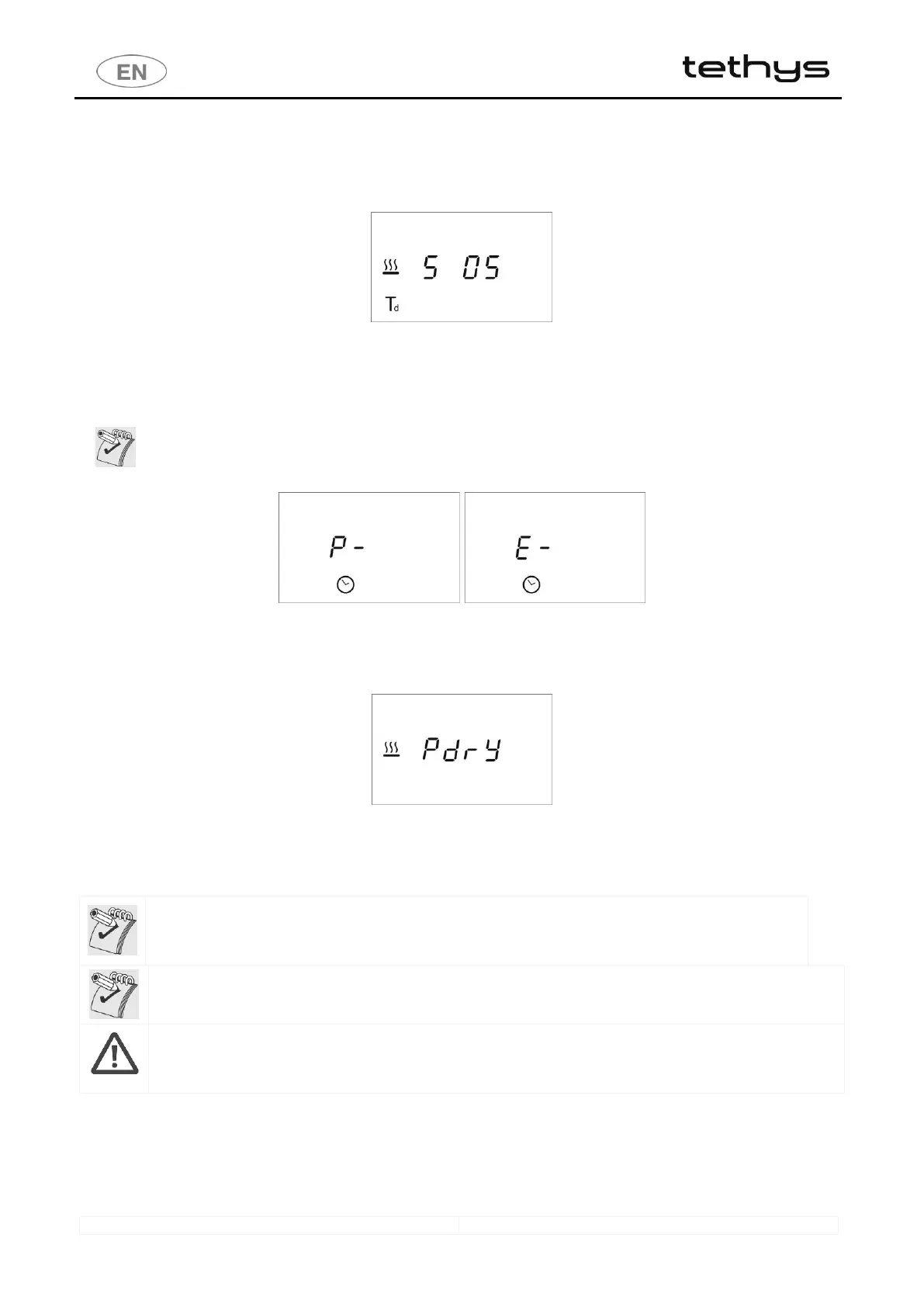
fig. 3 – If a cycle is interrupted the appliance switches to Suspension mode. e.g. Display screen, Suspension of program 5: “ S 05 “.
2.6 RESET CYCLE.
Starting the RESET cycle: hold BOTH buttons 5 - Functions and 3 - Start/Stop down for about 2 seconds, until the
beep is heard. During performance of the Reset, the display shows “P-“.
When an error occurs, generally the appliance manages the anomaly itself: in this case the alarm code flashes on the
display until the problem has been dealt with: NO RESET COMMANDS ARE ACCEPTED during this time. Any RESET
forced by the user will not be accepted until the problem has been dealt with and the alarm code on the display is
“steady”.
fig. 4 – RESET: during the RESET the display shows “ P- “. At the end of the RESET cycle, “ E- “ appears on the display.
2.7 SEPARATE DRYING PHASE - TETHYS D60 SERIES ONLY
Users can also select a SEPARATE DRYING CYCLE by pressing button 2 - Drying Decrease for 2 seconds: “PdrY” appears on the
display.
fig. 5 – Display screen: separate drying program.
2.8 PREPARING THE LOAD FOR WASHING AND DISINFECTION
Loading instructions are provided in compliance with 5.4.4-k of IEC61010-2-040:2005.
The load for processing must be arranged appropriately on the most suitable supports for machine-washing.
Before placing the instruments and the other items in the load in the specific baskets, any large residues must be
removed by soaking, treatment or rinsing. Do not overload the washing baskets to ensure effective mechanical
action of the water across the entire surface. Do not stack items in the load. Instruments which can be dismantled
must be prepared and stowed as instructed by the manufacturer
WASHING SUPPORTS - TROLLEYS
The appliance comes without washing trolleys. Refer to the washing trolley manuals for guidance on their correct use.
Contact you dealer for advice about the washing trolleys best suited to your needs.
Avoid direct, repeated contact with dirty material. Always take the greatest care and use suitable personal protection
equipment, both before and after treatment. Before processing instruments, check on the manufacturer’s instructions
that the items are approved for automatic treatment in the Instruments Washer and also the recommended
maximum washing temperature.
3 SETUP MODE
The appliance has setup procedures for modifying its operating parameters.
The setup mode is accessed by pressing button 5 - Functions button and requires a password.
For reasons of security and responsibility, 4 levels of password are available for access to more and more complex functions:
1. USER Level (1111)
2. SUPERUSER Level (provided by the installation engineer)



 To Next Page