ImageXpress Micro High Content Imaging System Options User Guide
38 5014166 D
8. If applicable, for the Sample Plate, type a value for X, Y, and Z
offsets from the well center (in μm) for the sample plate.
Type a positive Z offset to have the pipettor sample higher than
normal. Type a negative Z offset to have the pipettor sample
lower than normal.
9. If applicable, select Track Volume, and then type a value for the
Initial Volume for Tracking (μl) for each plate.
10. Do one of the following:
If you selected Track Volume, then select Track Liquid
Surface, and then go to Step 11.
Optionally, select Track Volume, select Track Liquid Surface,
clear Track Volume, and then go to Step 11.
Otherwise, go to Step 13.
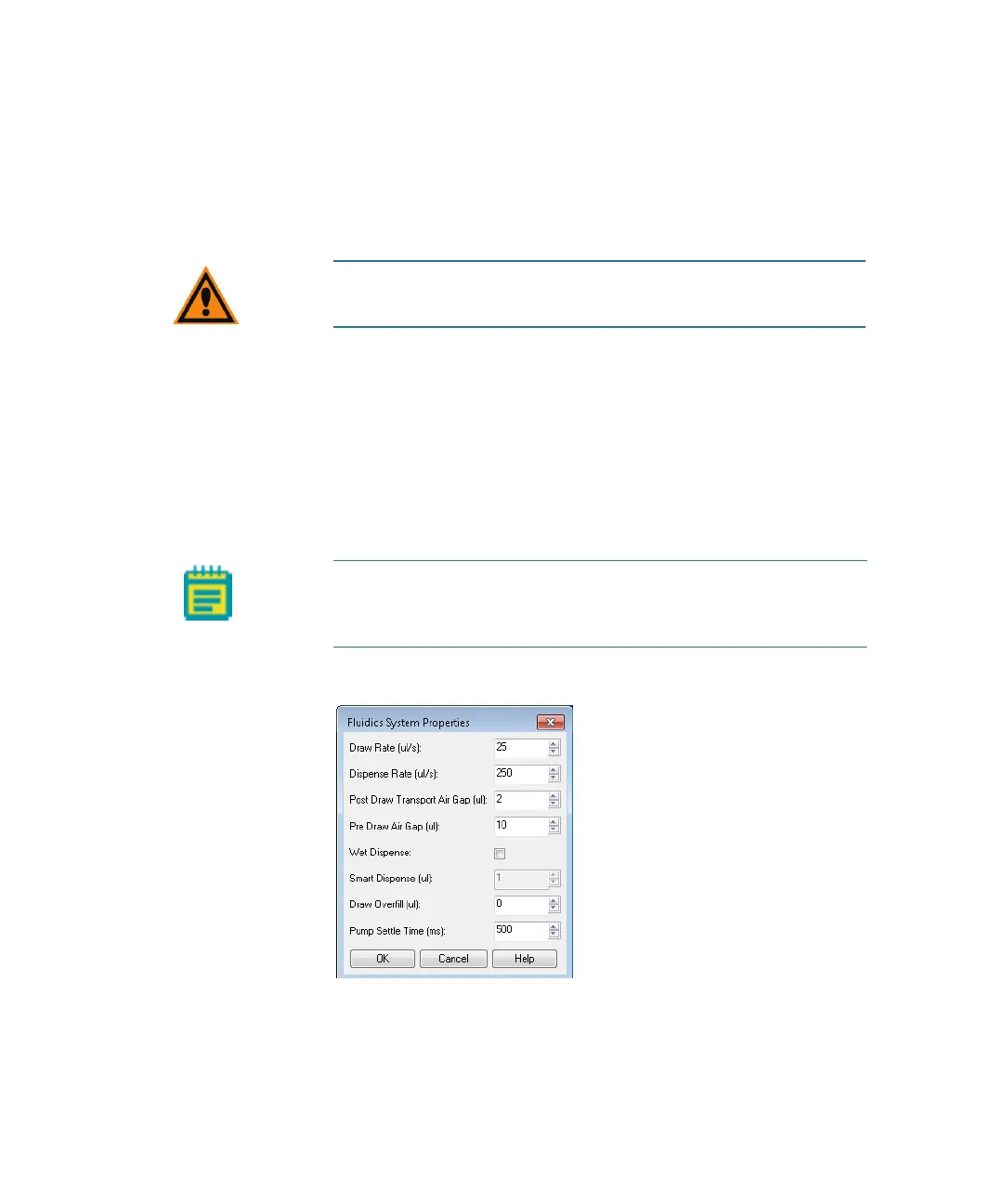
11. Click System Properties.
Figure 2-7: Fluidics System Properties dialog
CAUTION! An incorrect X, Y, or Z offset can cause the pipette tip
to crash into the sample plate.
Note: The Track Liquid Surface feature is used in conjunction
with the Wet Dispense feature. If Track Liquid Surface is
selected, then wet dispensing is done near the liquid surface.
ImageXpressOptionsUserGuide.book Page 38 Wednesday, September 9, 2015 3:54 PM



 To Next Page