Fluidics Option Operations
5014166 D 45
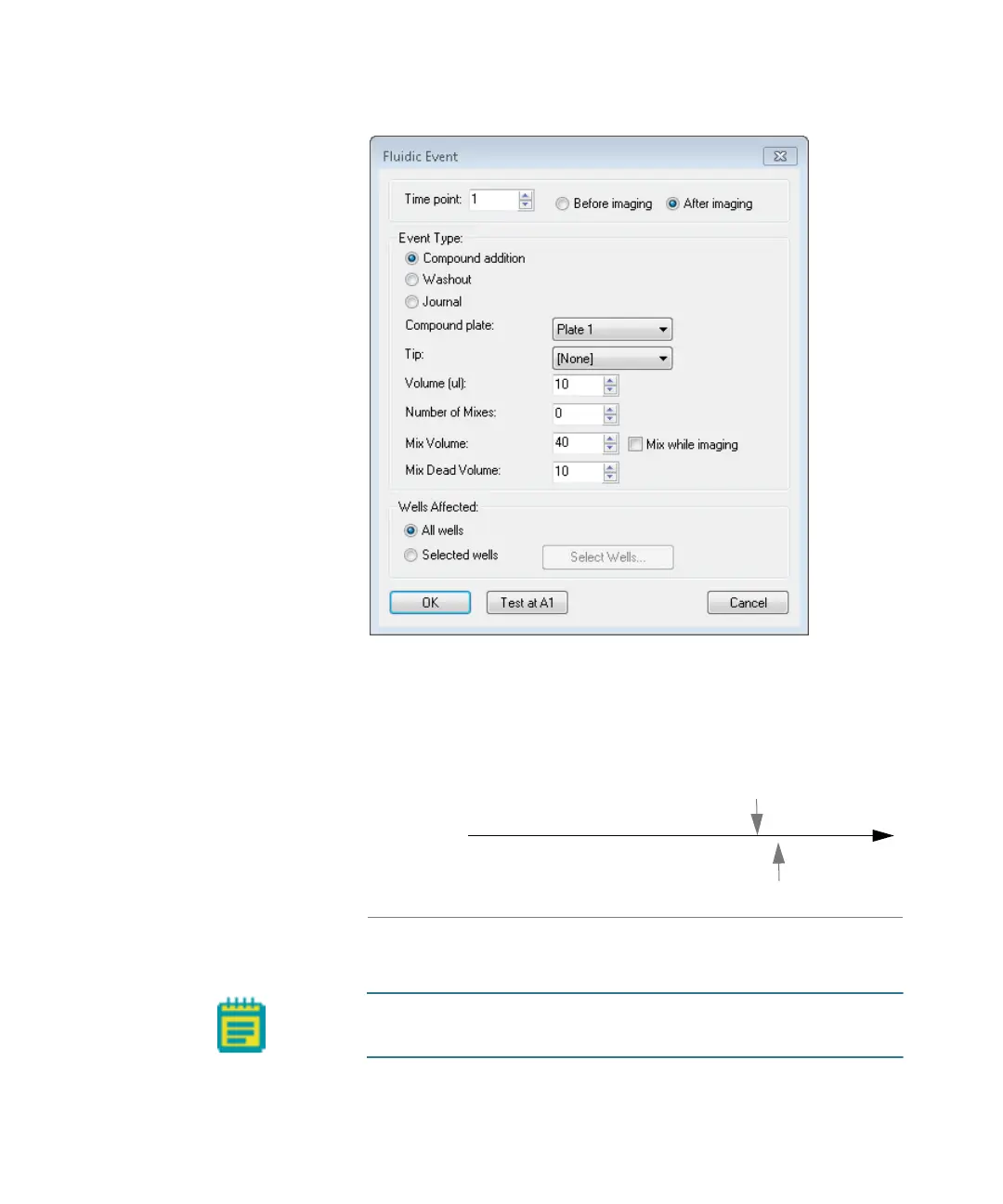
Figure 2-13: Time point setting in Fluidic Event dialog
For example, if you select time point 5 and select Before
imaging, then the fluidic event occurs before the time point. If
you select After imaging, then the fluidic event occurs after the
time point. See
Figure 2-14 on page 45.
Figure 2-14: Setting events to occur before and after a time
point
Time point 12345N
Event occurs after time point
Before imaging
Event occurs before time point
After imaging
Note: The number of time points is set on the Timelapse tab.
See Doing Timelapse Experiments on page 23.
ImageXpressOptionsUserGuide.book Page 45 Wednesday, September 9, 2015 3:54 PM



 To Next Page