Owner’s Manual
11
Operating the 330A
We recommend leaving your Nēo 330A powered up at
all times to maintain optimal performance. When you
plan on being away for a few days, it may not be a bad
idea to power off your amplifier. Please keep in mind
that once fully “broken-in”, your 330A requires several
hours of operation before reaching optimal
performance after powering it up again.
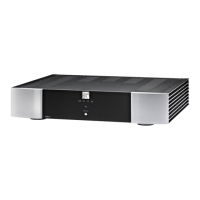
Turning on your Nēo 330A for the first time
Prior to turning the amplifier on for the first time, make
sure that every cable is properly connected to avoid any
problems. Then turn on your preamplifier connected to
the 330A. Flick the main rocker switch, located on the
rear panel, labeled “POWER” to the ‘1’ (on) position. The
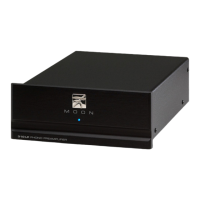
blue LED on the front panel will blink for up to 10
seconds while it achieves standby mode. When it stops
blinking and is not illuminated, your 330A is in standby
mode. Next, briefly press the push button labeled
“Standby” located on the front panel. You will hear a
very faint click sound confirming that everything is in
order. The blue LED on the front panel will illuminate,
indicating that the 330A is now powered up and ready
for use.
On and Off Sequence
To avoid having any annoying noises (ie. “thumps” and
“pops”) emanate from your speakers when powering
your 330A on or off, you should always power up your
preamplifier prior to powering up your 330A. As well,
always power down your 330A prior to powering down
your preamplifier.
Troubleshooting
Your Nēo 330A Power Amplifier is equipped with a
self-diagnostic system that will automatically shut itself
down when it detects either DC (direct current) or it
enters into thermal protection mode due to
overheating. When either of these situations occur, the
blue LED on the front panel will begin to blink
continuously. If your 330A power amplifier turns itself
off or will not power up, there may very well be some
DC present in the amplifier’s input coming from your
preamplifier’s outputs. To determine if there is any DC
present power down your 330A via the main power
rocker switch, then disconnecting the input to the 330A
leaving only the speaker connected. Attempt to power
up your 330A again: A successful power up will indicate
the presence of DC coming from your preamplifier or
one of your signal sources (ie. CD Player). When your
amplifier has overheated, simply wait until it cools
down before attempting to power it back on again. If
your 330A still doesn’t power up, turn off the main
power switch and check the AC fuse. If the fuse appears
OK, put it back in its socket and then try powering up
again. If the fuse is blown, replace it with a fuse of the
same rating, and repeat the above process. At this point,
you should be able to power up your 330A. If not,
immediately consult your Authorized MOON Retailer for
assistance.


 To Next Page