3-16
[3] CLEAN, REPLACE AIR CLEANER
Applicable to external mounting type
• Never clean, or replace the air cleaner when the engine is running.
• When using compressed air to clean the element, there is danger that dirt and dust may fly and get into eyes.
Always wear safety glasses.
• When cleaning the outer element, do not hit it or knock it against other objects.
• Do not use the outer element if the folds or seal are damaged.
• Replace the outer element with a new part if it has been cleaned three or four times, or if it has been used for one
year. When replacing the outer element, replace the inner element at the same time.
• After cleaning the outer element, if the engine exhaust gas color is black or there is lack of power, replace the
outer element. When replacing the outer element, replace the inner element at the same time.
• CHECK AIR CLEANER
1. Raise the dump body. For details, see “OPERATION 4. OPERATING
DUMP BODY”.
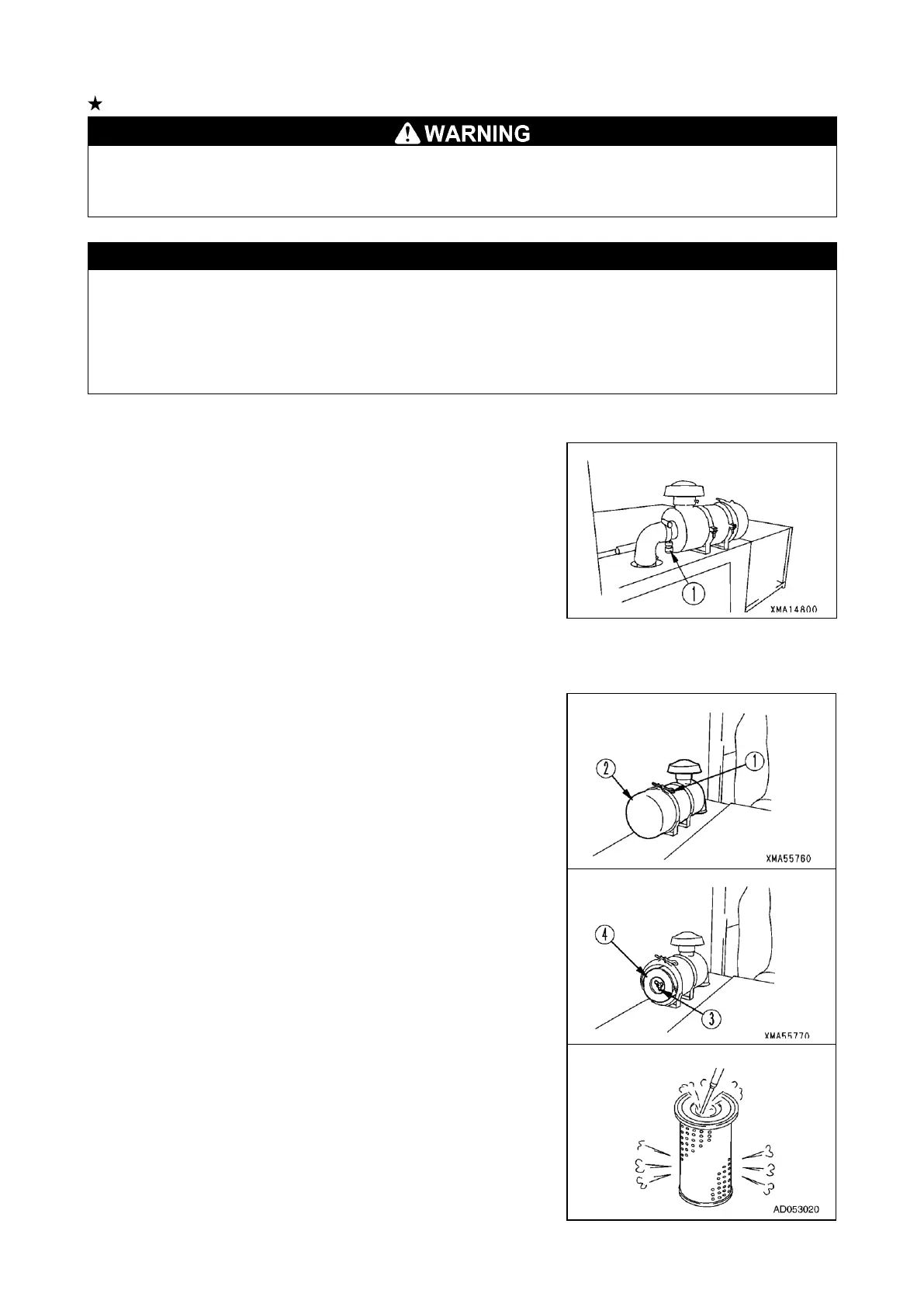
2. If dust indicator (1) inside the air cleaner is red, clean the air cleaner element.
• METHOD OF CLEANING OUTER ELEMENT
1. Raise the dump body. For details, see “OPERATION 4. OPERATING
DUMP BODY”.
2. Loosen the air cleaner band (1), then remove the dust pan (2).
3. Remove the wing bolt (3) and take out the element (4).
4. Blow with dry compressed air (max. 0.68 MPa [7 kgf/cm
2
]) along the folds
from the inside of element (4).
Next, blow along the folds from the outside of the element, then blow from
the inside of the element again.


 To Next Page