3-34
[3] REPLACE HYDRAULIC LINE FILTER
• Stop the engine and wait for the engine to cool down.
• Loosen the cap of the hydraulic tank slowly to release the internal pressure completely, then remove the cap.
• Operate the travel lever and dump control lever 2 or 3 times to the end of their stroke to completely release the
remaining pressure in the hydraulic circuit.
When replacing the hydraulic line filter, always change the oil in the hydraulic tank at the same time.
Set a container under the hydraulic line filter to catch the oil.
1. Raise the dump body. For details, see “OPERATION 4. OPERATING
DUMP BODY”.
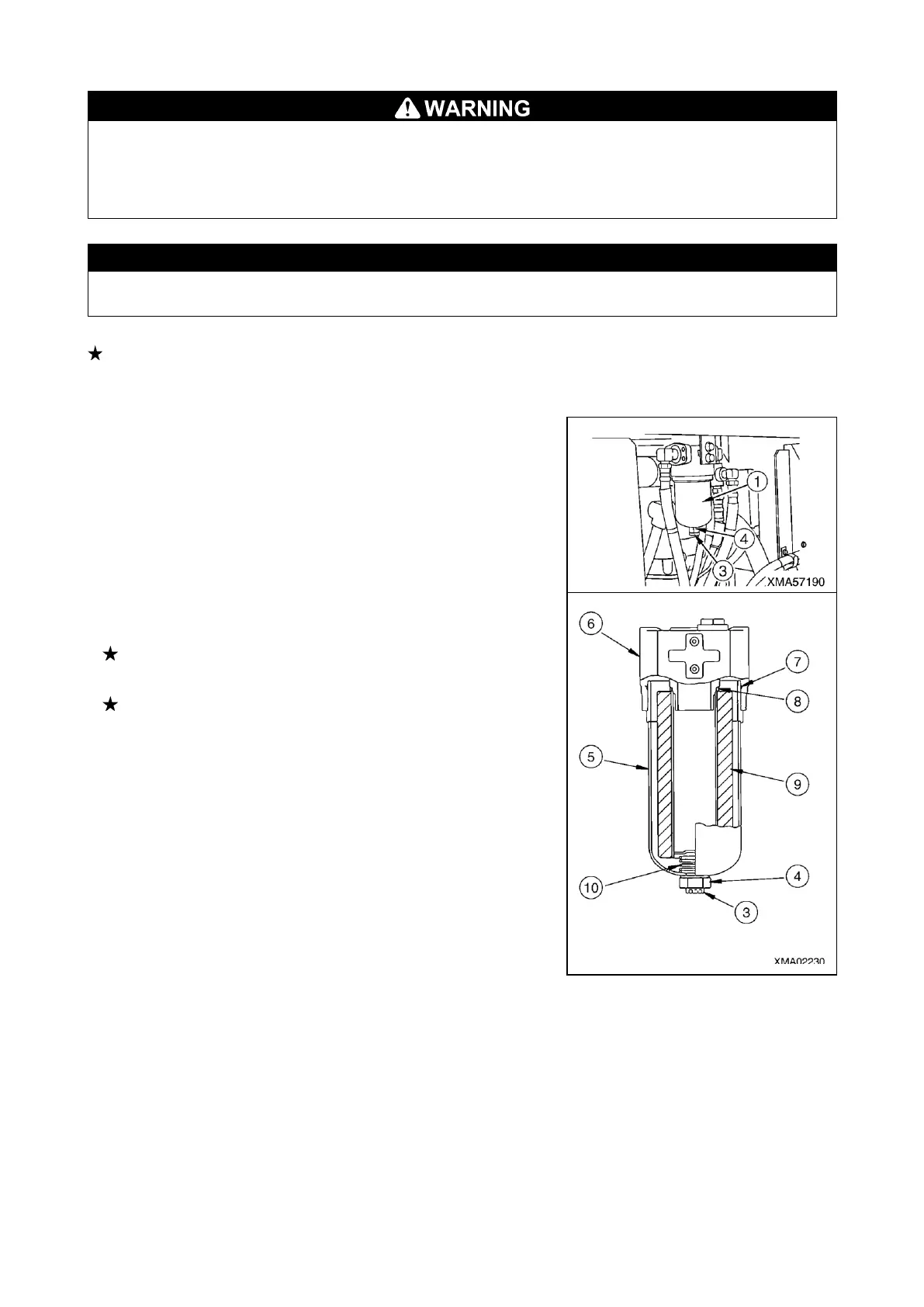
2. Remove the drain plug (3) from the line filter (1), and drain the oil.
3. Put the wrench to the nut portion (4), turn the nut portion (4) to
counterclockwise and remove the filter case (5).
4. Remove the O-rings (7), (8) inside the filter head (6).
5. Clean the line filter head (6).
6. Take out the element (9) in the filter case (5), and wash the filter case (5).
7. Fit the new O-rings (7), (8) into the filter head (6).
8. Insert a new element (9) into the filter case (5), and screw it into the filter head
(6) mounting position.
When inserting the element into the filter case, be careful not to let the
spring (10) inside the filter case collapse.
Fill the hydraulic oil to the filter case.
9. Lower the dump body. For details, see “OPERATION 4. OPERATING
DUMP BODY”.


 To Next Page