10
Getting started
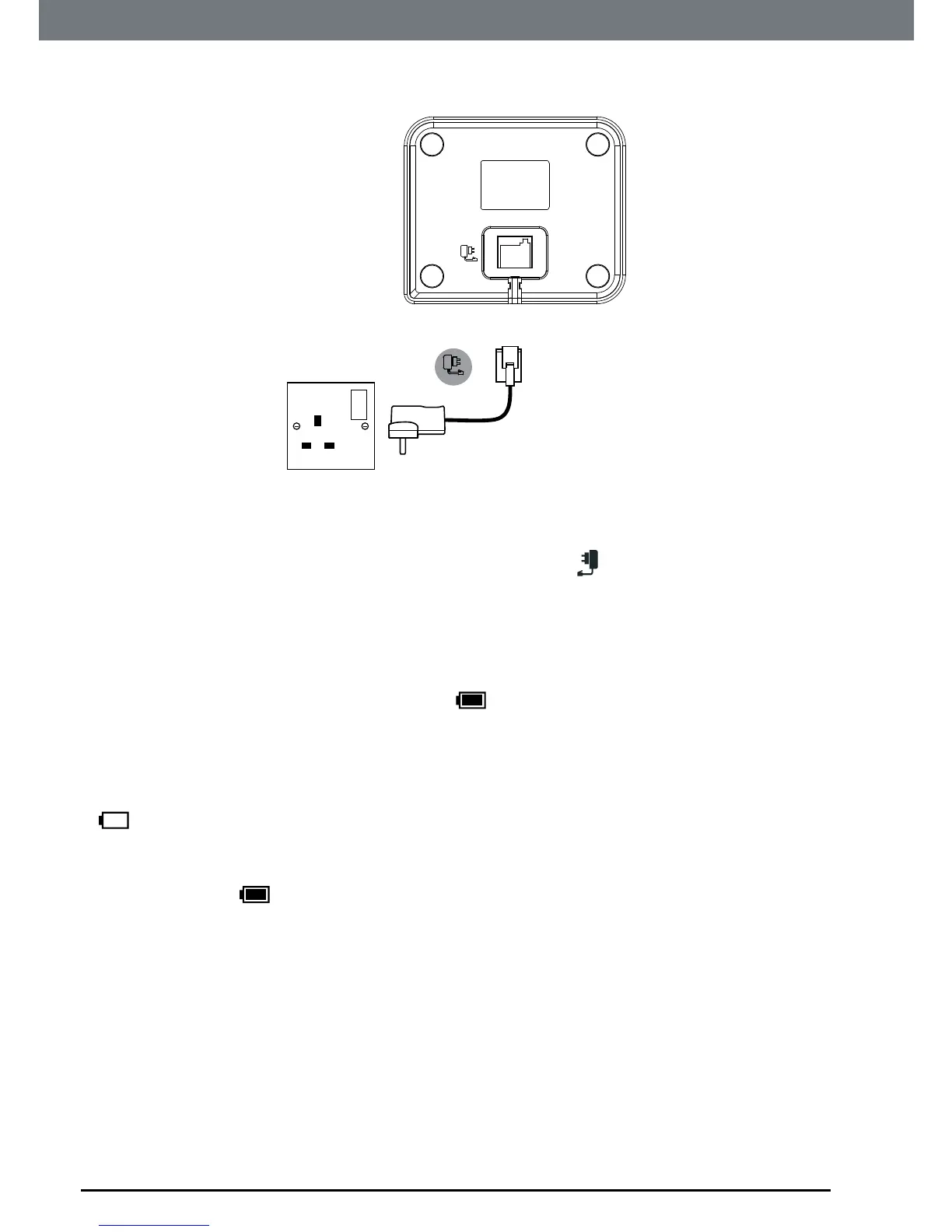
Connecting the handset and charger
(for multi-pack only)
Ifyouhavepurchasedamultiplepack,youwillneedtocarryoutthisprocess
forallthehandsetsandchargers.
1. Plugthepoweradaptorintothesocketmarked
ontheundersideof
thechargerandplugtheotherendintothemainspowerwallsocket.
2. Ifyouarechargingthebatteryforthersttime,placethehandsetonthe
chargertochargeforatleast24hourscontinuously.
3. Whenthehandsetisfullycharged,
iconwillappearsteadyonthe
display.Thedisplaywillshowthedateandtimetoindicatethatitis
registeredtothebase.
BATTERY LOW WARNING
If
icon ashes on the display and you hear a warning beep every 30
seconds during a call, you will need to recharge the handset before you can
use it again.
When charging,
icon will scroll on the display.
INTELLIGENT CHARGING
Your IT.6T supports Intelligent Charging, this means when the handset is
fully charged, the base will automatically detect this and stop drawing power
from the mains to charge the handset, saving unnecessary power usage.
BATTERY PERFORMANCE
In ideal conditions, a fully charged battery should give up to 7 hours talk
time or up to 100 hours standby time on a single charge.
1


 To Next Page
 Loading...








