12
Getting to know your phone
2. Getting to know your phone
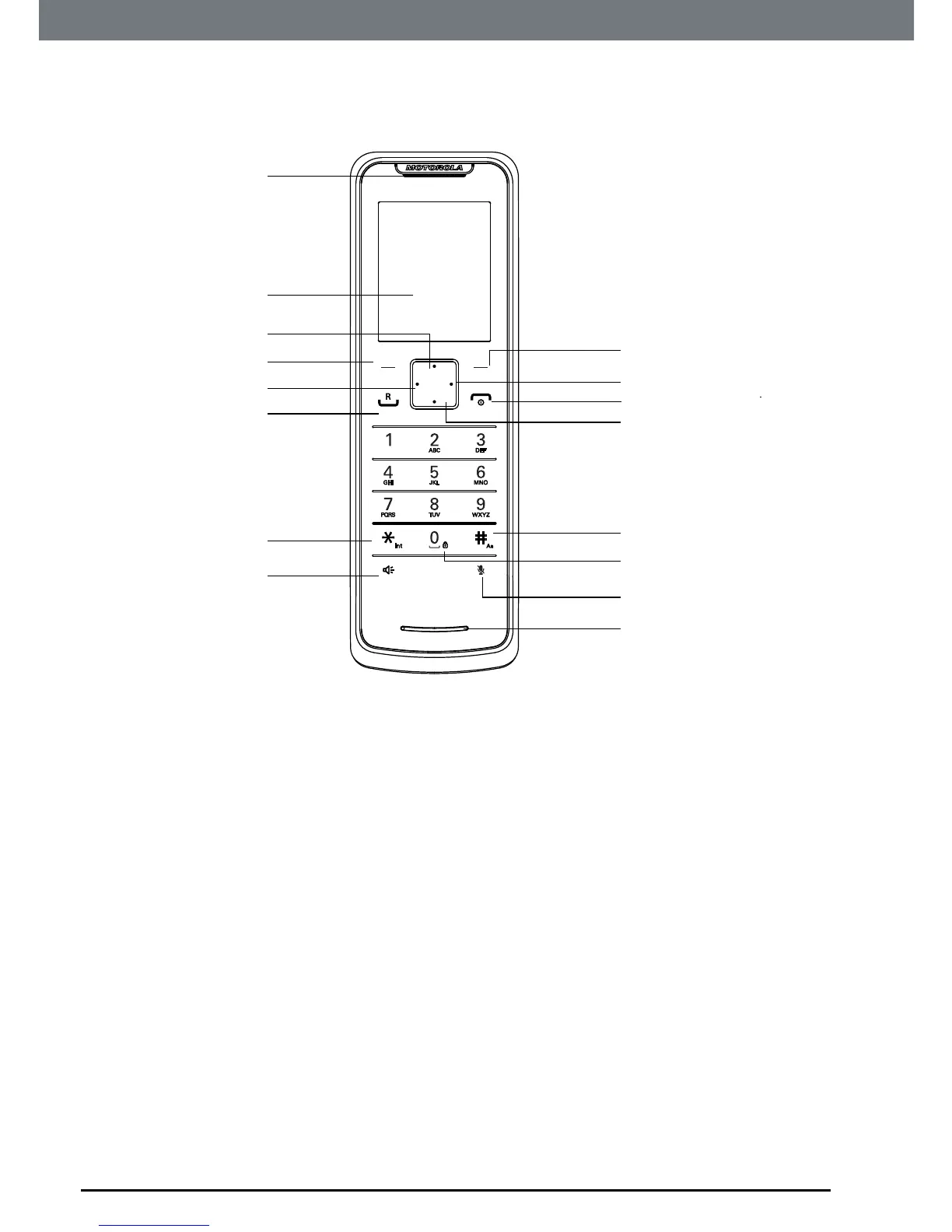
Overview of your handset
A Earpiece
B Display
Seepage14foranoverviewofthedisplayicons.
C Phonebook / Scroll up / Volume up
Instandbymode,presstoopenphonebookmenu.
Scrollupthroughlistsandmenus.
Increasetheearpieceandhands-freevolume.
Whenthephoneisringing,presstoincreasethehandsetringervolume.
D Menu / OK / Left softkey
Instandbymode,presstoopentheMenu.
Presstoselectmenuoptionsandtoconrmadisplayedoption.
E Scroll Left
Scrollleftthoughthemenu.
Movesthecursortotheleftduringediting.
F Talk / Recall
Makeoransweracall.
Userecall(R)functions.
A
B
C
D
E
F
G
H
I
J
K
M
L
N
O
P


 To Next Page
 Loading...








