146
Set Scrolling Speeds
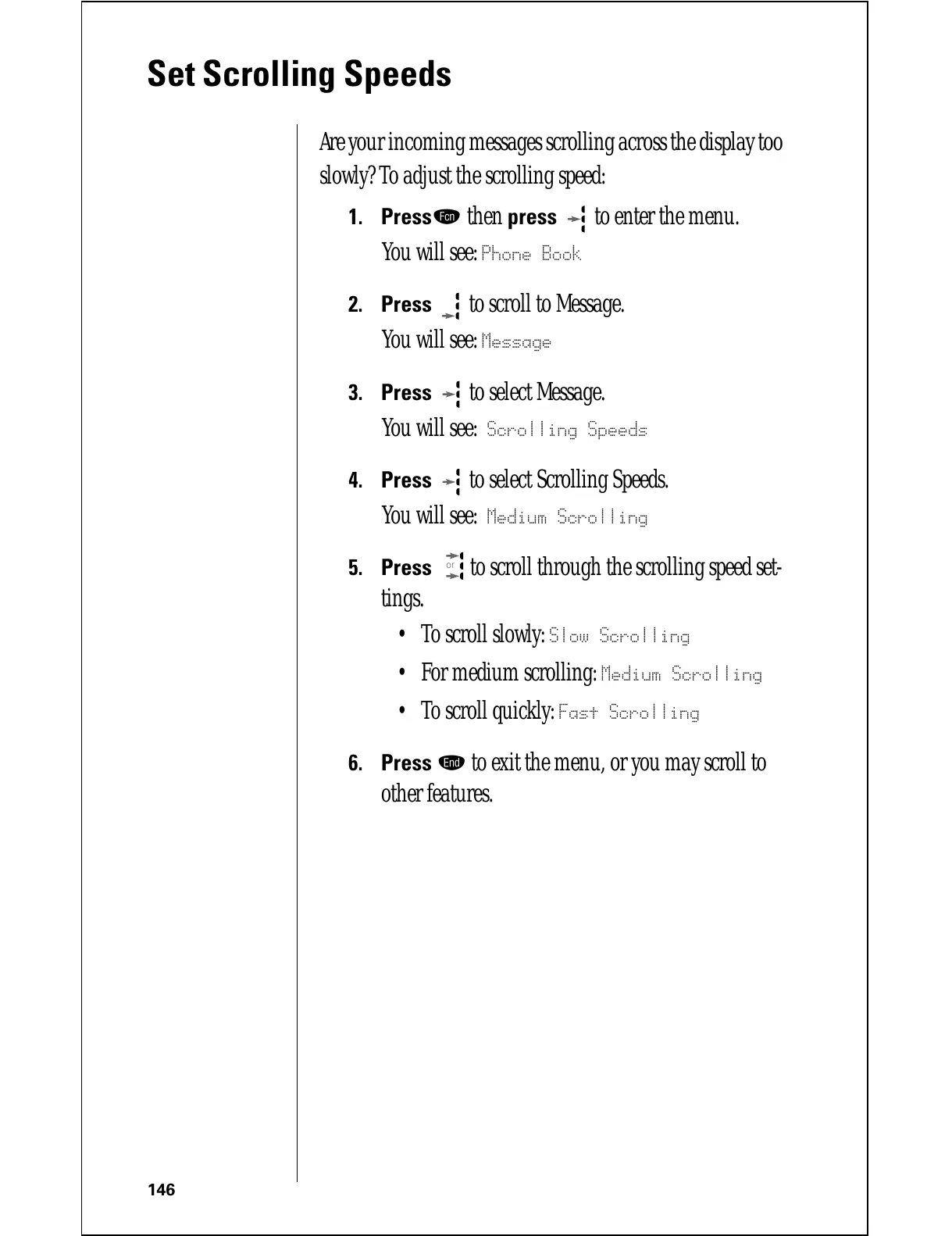
Are your incoming messages scrolling across the display too
slowly? To adjust the scrolling speed:
1.
Pressƒ then press to enter the menu.
You will see:
Phone Book
2.
Press to scroll to Message.
You will see:
Message
3.
Press to select Message.
You will see:
Scrolling Speeds
4.
Press to select Scrolling Speeds.
You will see:
Medium Scrolling
5.
Press to scroll through the scrolling speed set-
tings.
• To scroll slowly:
Slow Scrolling
• For medium scrolling: Medium Scrolling
• To scroll quickly: Fast Scrolling
6.
Press º to exit the menu, or you may scroll to
other features.
or







 To Next Page