EasyManua.ls Logo

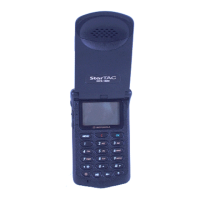
Motorola DCS StarTac - User Manual

Motorola DCS StarTac
78 pages
Print Icon
To Next Page IconTo Next Page
Loading...
The Worlds Leading Cellular
Telephone Manufacturer
Service Manual
DCS StarTac
Cellular Subsciber Group
68P09304A85

Table of Contents

Questions and Answers

  • T
    timothy83Aug 16, 2025
    Why won't my Motorola DCS StarTac turn on?
    • S
      sarah39Aug 16, 2025
      If your Motorola Cell Phone won't turn on or stay on, it could be due to several reasons: 1. The battery pack may be discharged or defective. Try recharging the battery. If it doesn't recharge, replace it. 2. The battery connectors might be open or misaligned. Inspect and realign them. If necessary, replace the battery or the connector assembly. 3. The Logic/RF Board Assembly could be defective. In this case, replace the Logic/RF Board Assembly with a new one. 4. A Keypad/Display circuit board failure can also cause this issue. Replace the Keypad/Display board.
  • H
    Hailey RussellAug 19, 2025
    What to do if my Motorola DCS StarTac Cell Phone has poor reception?
    • D
      Derrick BauerAug 19, 2025
      If your Motorola Cell Phone has poor reception or erratic operation, like frequent call drops or weak/distorted audio, it could be due to: 1. A defective antenna. Ensure the antenna pin is properly connected to the Logic/RF assembly. If it is, try replacing the antenna. 2. A defective Logic/RF Board Assembly. Replace the Logic/RF Board Assembly.
  • L
    Laura SmithAug 22, 2025
    Why is the display on my Motorola DCS StarTac Cell Phone not working properly?
    • K
      Kelly RangelAug 22, 2025
      If the display on your Motorola Cell Phone is erratic, partial, or completely blank, the issue might be: 1. Faulty mating connections to or from the Keypad/Display board. Replace the RF/Logic assembly and/or the Keypad/Display board as necessary. 2. A defective Keypad/Display board. Try replacing it with a known good one. 3. A defective Logic/RF Board Assembly. Replace the Logic/RF Board Assembly.
  • M
    Megan ColeAug 26, 2025
    How to fix a distorted ringer on my Motorola Cell Phone?
    • M
      morarobertAug 26, 2025
      If the incoming call alert on your Motorola Cell Phone is distorted or too quiet, the problem may be: 1. Faulty connections to or from the Keypad/Display circuit board. Check the connection to the alert transducer. 2. A defective alert transducer. Replace the alert speaker with a known good one. 3. A defective Logic/RF Board Assembly. Replace the Logic/RF Board Assembly.
  • A
    Amy EatonAug 28, 2025
    Why is the microphone on my Motorola Cell Phone so quiet?
    • J
      Jennifer MccartyAug 28, 2025
      If the transmit audio on your Motorola Cell Phone is weak, and people have difficulty hearing you, it could be due to: 1. Defective microphone connections to the Keypad/Display board. Check the connections. 2. A defective microphone. Disconnect the microphone and replace it with a known good one. 3. A defective Logic/RF Board Assembly. Replace the Logic/RF Board Assembly.
  • J
    Julian JonesAug 31, 2025
    Why is the volume low on my Motorola DCS StarTac Cell Phone during calls?
    • F
      figueroarobinAug 31, 2025
      If the receive audio on your Motorola Cell Phone is weak or distorted, it could be due to: 1. Defective connections to/from the Logic/RF circuit board. Check the connection and the flexistrip from the earpiece to the Logic/RF circuit board. 2. A defective earpiece speaker. Replace the earpiece speaker with a known good one. 3. A defective antenna assembly. Attempt a re-phasing of the unit and recheck the symptom. 4. A defective Logic/RF Board Assembly. Replace the Logic/RF Board Assembly.
  • R
    Ryan RamosSep 3, 2025
    What to do if my Motorola DCS StarTac Cell Phone won't read the SIM card?
    • F
      foxaprilSep 3, 2025
      If your Motorola Cell Phone does not recognize or accept the SIM card, the following could be the cause: 1. The SIM card may be defective. Check if the contacts on the card are dirty and clean if necessary. 2. The SIM card may not be properly inserted. Ensure that the SIM card is pushed fully home into its recess. 3. The Logic/RF Board Assembly may be defective. Replace the Logic/RF Board Assembly.
  • S
    Shawn WallaceSep 6, 2025
    Why doesn't my Motorola DCS StarTac know when the flip is open?
    • E
      Eric DavisSep 6, 2025
      If your Motorola Cell Phone doesn't sense when the flip is opened or closed, preventing you from answering calls or making outgoing calls, the issue could stem from: 1. A defective magnet in the flip. Replace the flip assembly with a known good one. 2. A defective reed switch. Replace the reed switch with a known good one. 3. A defective Keypad/Display board. Replace the Keypad/Display board with a known good one. 4. A defective Logic/RF Board Assembly. Replace the Logic/RF Board Assembly.
  • K
    Kimberly HowardSep 9, 2025
    How to fix the vibration on my Motorola Cell Phone?
    • S
      Stephanie BriggsSep 9, 2025
      If the vibrator feature on your Motorola Cell Phone is not working, it could be due to: 1. A defective vibrator motor. Replace the vibrator motor. 2. A defective Logic/RF Board Assembly. Replace the Logic/RF Board Assembly.
  • K
    Kathy HawkinsSep 12, 2025
    Why does the clock reset on my Motorola Cell Phone?
    • A
      Angel McleanSep 12, 2025
      If the Real Time Clock on your Motorola Cell Phone resets when the standard battery is removed, the lithium button cell in the Flip may be depleted. Try replacing the Flip to check if this resolves the issue.

Summary

Performance Specifications

General Specifications

General technical specs: frequency, channels, dimensions, operating conditions.

Transmitter Specifications

Transmitter details: RF power output, output impedance, spurious emissions.

Receiver Specifications

Receiver details: bit error rate, channel hop time, time to camp.

Speech Coding Specifications

Speech coding details: type, bit rate, frame duration, and encoding.

Foreword and Service Information

Scope of Manual

Manual's scope: for experienced technicians, details service info current as of printing date.

Motorola Service Policy

Warranty terms, core product support, service hub responsibilities, and customer support.

General Safety Information

Safety guidelines for portable and vehicle operation, RF exposure, and environmental hazards.

Product Description

System Description

Overview of the Digital Communications System (DCS) network and its advantages over analogue systems.

Cellular Personal Telephone Description

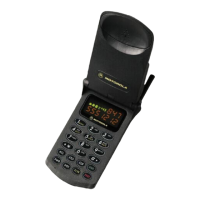
Description of the DCS StarTAC phone: general features, physical packaging, and power options.

Feature List and Labelling

Feature List

Comprehensive list of all features present in the StarTAC Personal Phone, categorized by function.

Transceiver Labelling

Explanation of common labelling titles on the DCS StarTAC: MSN, IMEI, model, package, and revision codes.

SIM Cards and Testing Modes

SIM Cards

SIM card functionality, insertion, removal, and security: PIN, unblocking codes, and call barring.

Manual-Test Mode & Verification

Instructions for accessing manual-test mode and performing verification tests on the phone.

Troubleshooting and Repair

Troubleshooting

Guide to diagnosing and resolving common malfunction symptoms and repair procedures.

Personality Transfer

Procedures for transferring phone personality data for board replacement or express exchanges.

Disassembly and Assembly

Step-by-step instructions and recommended tools for disassembling and reassembling the DCS 1800 StarTAC.

Parts and Accessories

Replacement Parts List

List of available replacement parts for the DCS 1800 StarTAC with part numbers and descriptions.

Accessories Overview

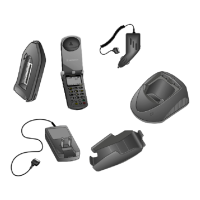
Overview of rechargeable battery packs, chargers, and car kits compatible with the DCS 1800 StarTAC.

Car Kit Installation

Car Kits Introduction

Introduction to the DCS StarTAC dedicated car kit: features, compatibility, and installation overview.

Installation Planning

Factors for planning car kit installation: component location, electrical polarity, and noise minimization.

Performance Checks

Antenna Performance Checks

Procedures for checking antenna installation performance using VSWR meter and RF generator.

Anti-Skid Braking System Checks

Tests to detect interference between the car kit and the vehicle's anti-skid braking system.

Motorola DCS StarTac Specifications

General IconGeneral
BrandMotorola
ModelDCS StarTac
CategoryCell Phone
LanguageEnglish

Related product manuals