MAC OS X AUDIO SOFTWARE
24
AudioDesk
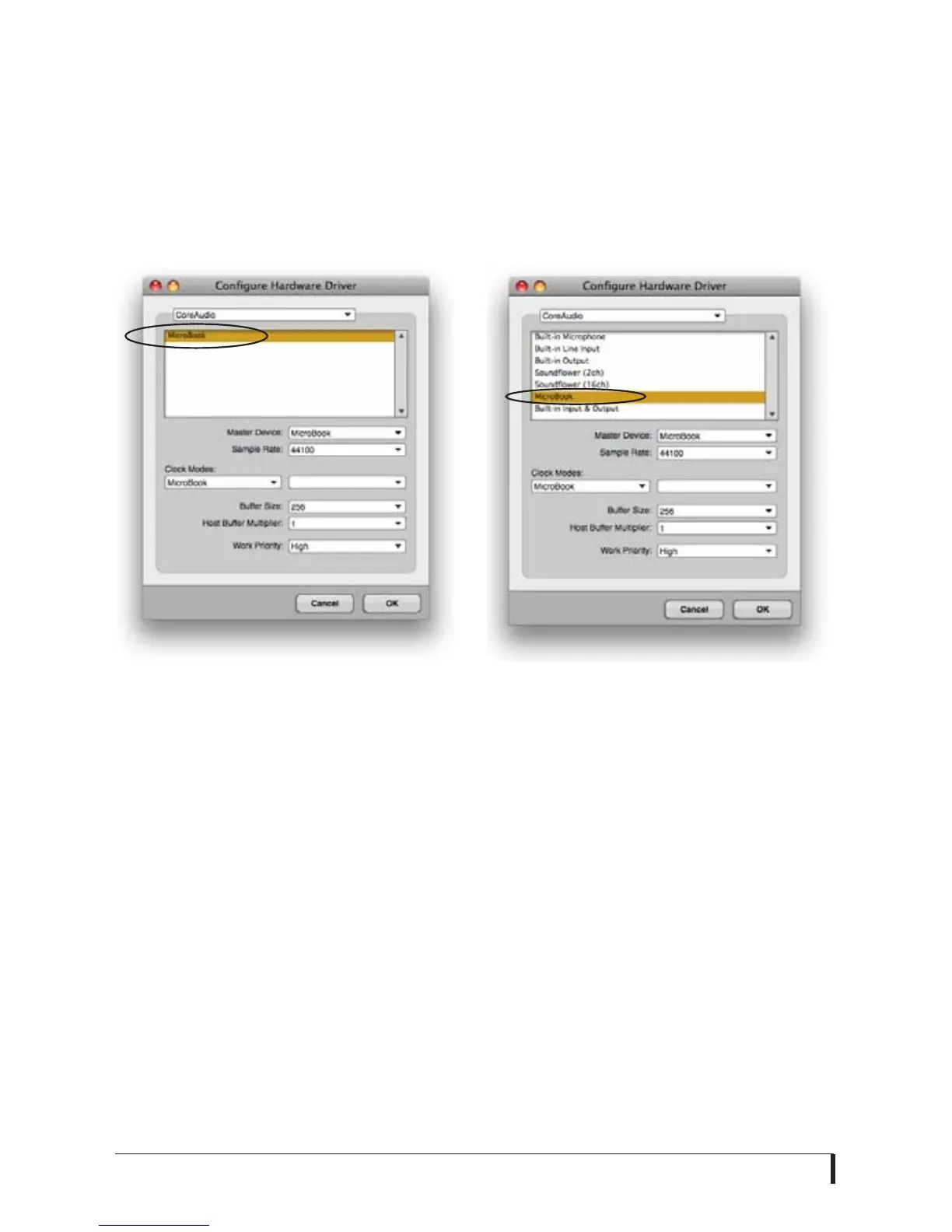
Choose the MicroBook as your audio
input output device by choosing
MOTU
Audio System options>Configure
Hardware Driver
from the Setup menu.
This window shows MicroBook settings
such as sample rate and clock source.
Figure 5-2: Enabling the MicroBook in
AudioDesk.
Exchanging projects with Digital
performer
To open AudioDesk Version 3 (or Version
1 or 2) files in Digital Performer, just use
DP’s
File menu> Open
command. (No
conversion is required beforehand in
AudioDesk.) To export a Digital
Performer project to AudioDesk, use
Save A Copy As
in Digital Performer’s File
menu and choose the
AudioDesk 3.0
file
format. Then open the resulting
AudioDesk 3.0 document in AudioDesk.
Digital Performer
Choose the MicroBook as your audio
input output device by choosing
Configure Audio System> Configure
Hardware Driver
from the Setup menu.
This window shows MicroBook settings
such as sample rate and clock source.
Figure 5-3: Enabling the MicroBook in
Digital Performer.
Exchanging projects with AudioDesk
Digital Performer can exchange projects
with AudioDesk. To open an AudioDesk
project in Digital Performer, open it in
same way you would a DP project. To
export a project to AudioDesk, use DP’s
File menu> Save A Copy As
command
and choose the AudioDesk 3.0 file
format.














 To Next Page