CHAPTER
ABOUT THE MICROBOOK
9
1
About the MicroBook
Obtaining your MicroBook
serial number
The MicroBook holds its serial
number electronically in the unit
itself. To obtain the serial number,
follow the hardware and software
installation instructions in this
booklet, and then do the following:
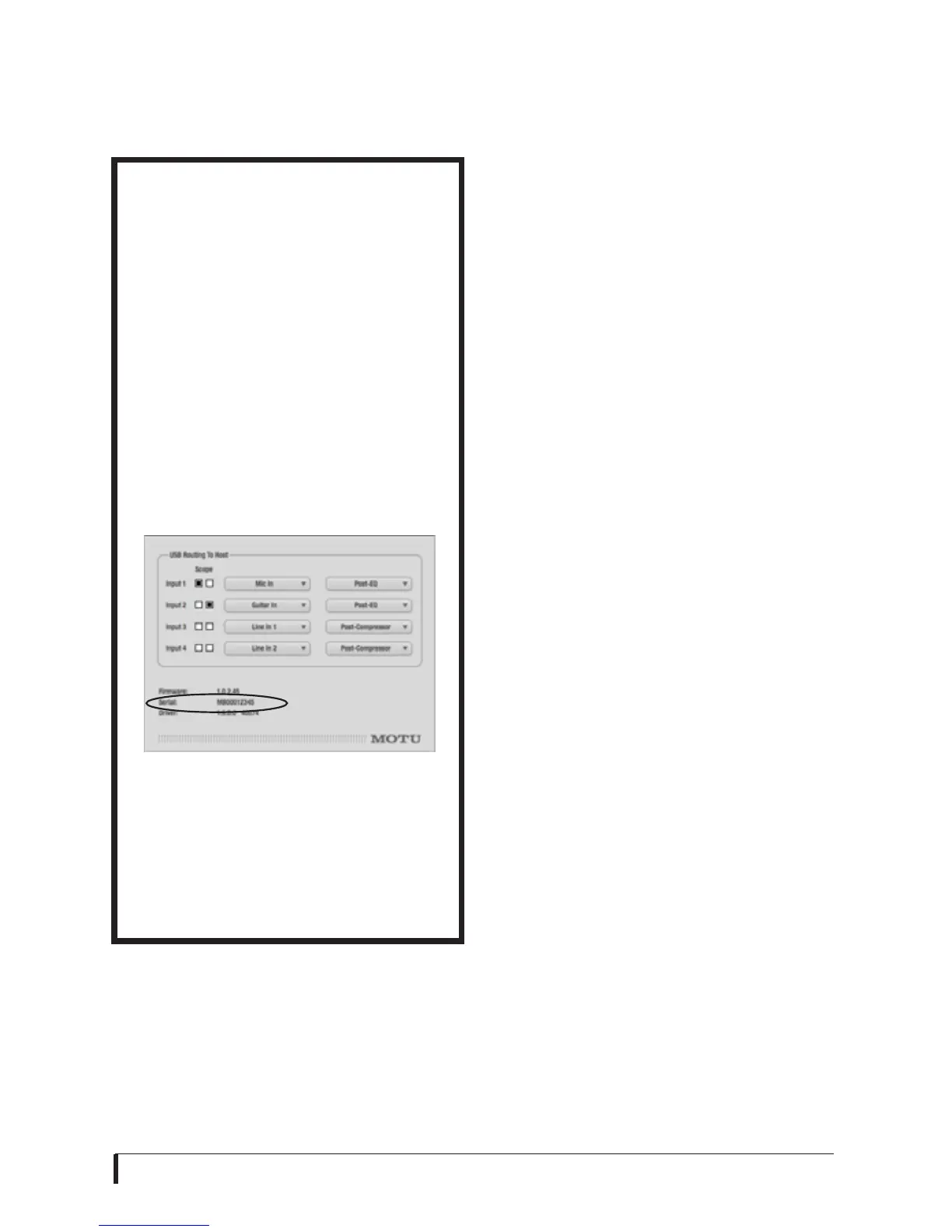
1
Launch the CueMix FX software.
2
Choose Devices menu>
MicroBook> Setup.
Figure 1-1: The Setup window.
3
The serial number is shown at the
bottom of the Setup window, as
shown in Figure 1-1.
Overview
The MicroBook is a USB audio interface
for Mac and Windows with on-board
effects and mixing that offers four inputs
and eight outputs for recording and
playback at industry standard sample
rates of 44.1 or 48 kHz. All inputs and
outputs can be accessed simultaneously.
The MicroBook consists of a light and
small aluminum alloy-encased interface
that connects directly to a computer via a
standard USB cable.
The MicroBook offers the following main
features:
■
4-input, 2-output bus-powered
“plug-and-play” USB audio interface for
Mac and Windows.
■
4 x 8 physical input/output channels.
■
10-bus digital mixer to route and mix
live inputs with live computer tracks.
■
Preamp-equipped mic input with
Precision Digital Trim™, 48V phantom
power, and 20 dB pad.
■
Guitar input with 20 dB pad and
Precision Digital Trim.
■
Stereo line level analog input on
balanced quarter-inch (TRS) or stereo
mini connectors.
■
Stereo line level analog main outs on
balanced quarter-inch (TRS) connectors.
■
Stereo eighth-inch “mini” line-level
out.














 To Next Page