CUEMIX FX
46
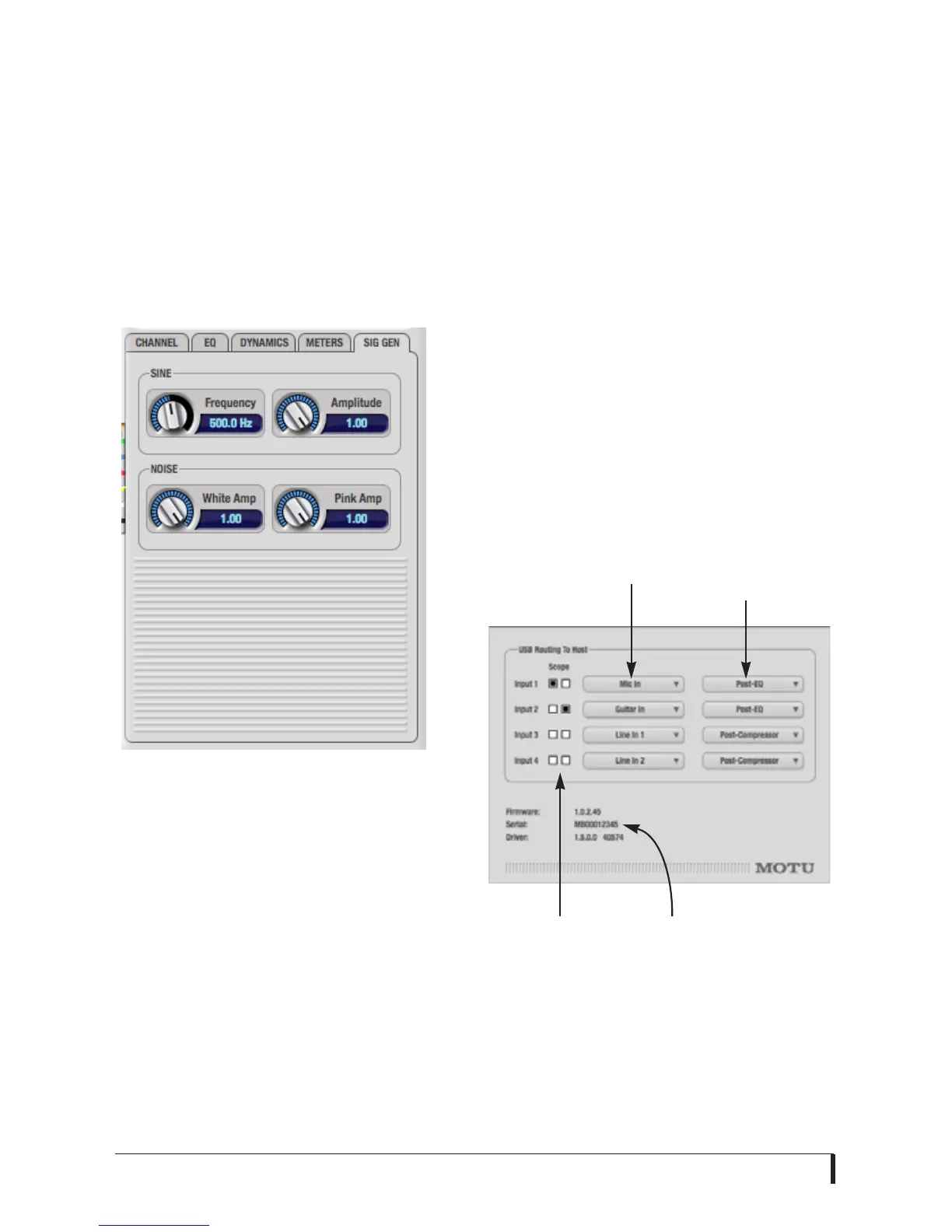
THE SIGNAL GENERATOR TAB
The Signal Generator tab (Figure 7-6)
provides settings for the Sine Wave
generator (frequency and amplitude) and
the White/Pink noise generators
(amplitude). Use the Output Source
menus in the Outputs tab (Figure 7-4) to
choose the desired ouput(s) for these test
signals.
Figure 7-6: The Signal Generator tab.
USB ROUTING TO HOST
Choose Devices menu>MicroBook>Setup
to access the USB Routing To Host settings
below (Figure 7-7). The MicroBook
sends four channels of audio to the host
audio software running on your
computer. This window lets you control
the audio Source for each channel and
whether or not the signal will be
processed with the MicroBook EQ and/
or Dynamics processing settings via the
Pre/post effects menu.
The factory default settings route the
MicroBook’s four physical inputs to the
computer, but you could also route mix
busses, and even MicroBook output
signals, back to the computer.
Figure 7-7: MicroBook Device Setup.
Pre/post
effects
Source
Serial
number
Scope
channel














 To Next Page