Operation Section
43
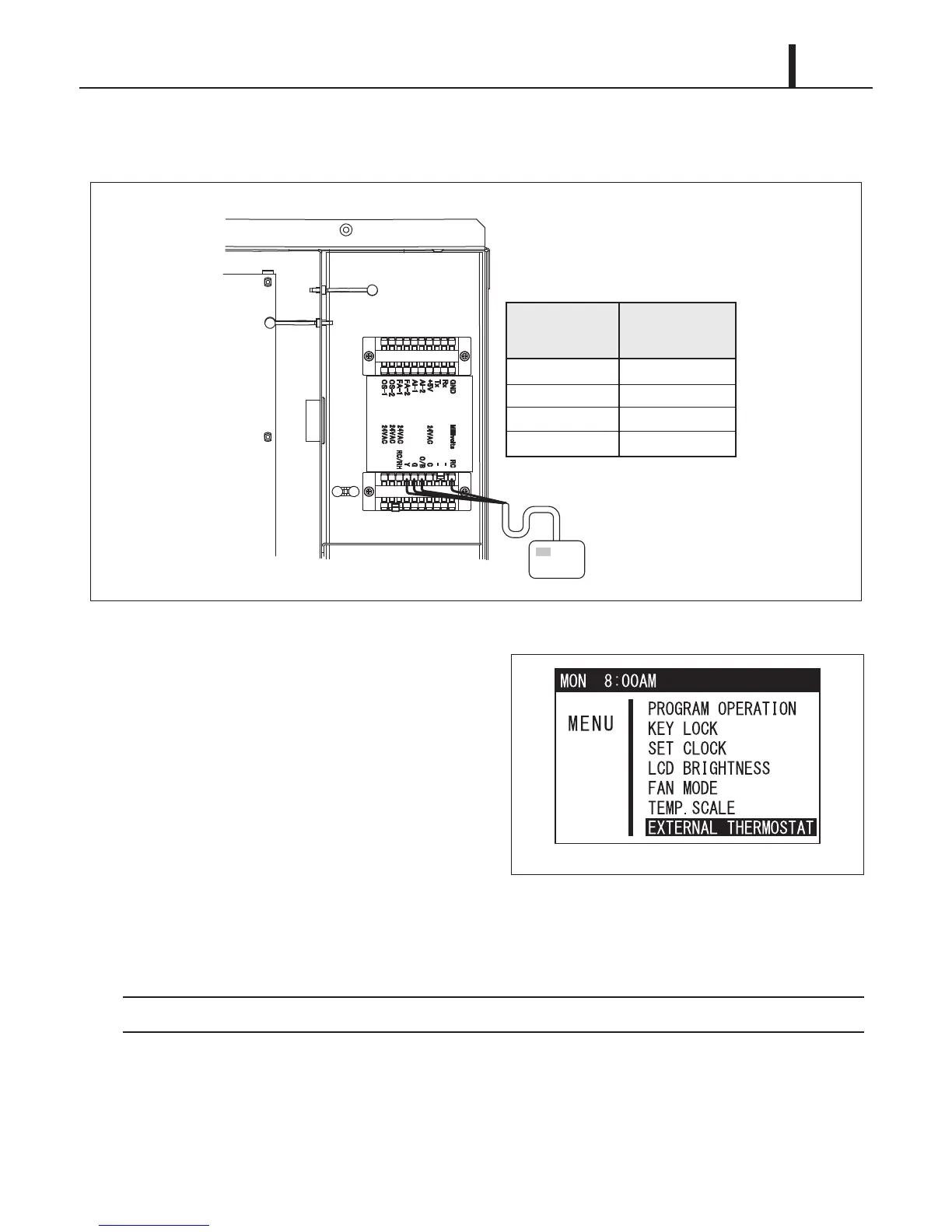
5) Connect the millivolt thermostat wires to the terminal block according to the connection table
shown below. Reinstall the service panel to the unit.
6) Plug in the power cord.
7) Press MENU/ESC button to go to MENU.
Use TEMP+ or -TEMP button to select
EXTERNAL THERMOSTAT and press ENTER
button to confirm. LCD displays a notification
screen.
If no button is pressed for 1 minute, LCD displays the previous mode.
Connection Table
RC
O/B
Millivolts RC
Millivolt
Thermostat
Wire No.
Unit
Terminal Block 3
Terminal No.
O/B
GG
Y
Y
Millivolt Thermostat
Service Box
Neutral
Hot
TB3
ILL00776-01
ILL00813-00


 To Next Page
 Loading...






