- 10 -
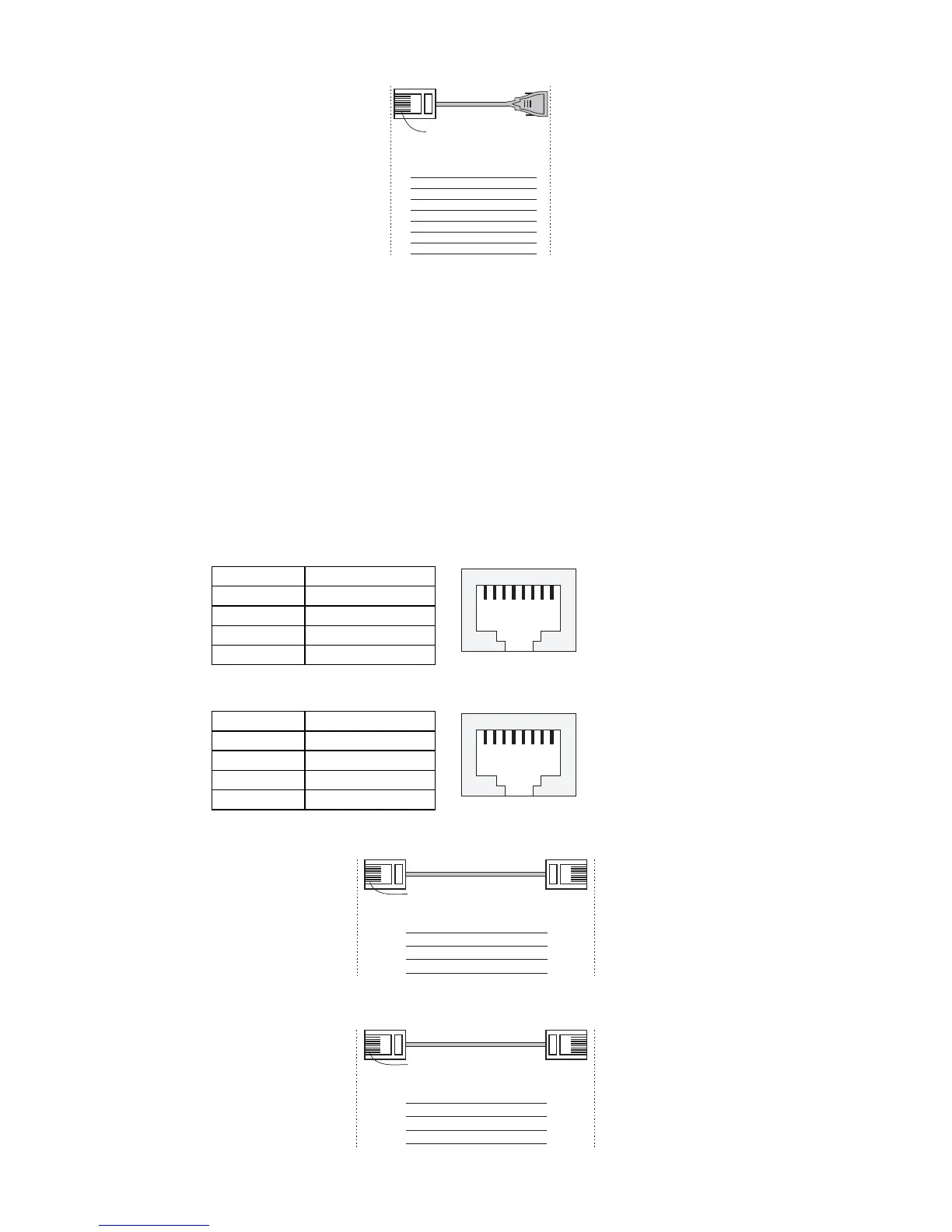
RJ45 (10-pin) to DB9 (F) Cable Wiring
RJ45 Plug Pin 1
Moxa
EtherDevice
Server
RJ45
Connector
DCD
DSR
RTS
GND
TxD
RxD
CTS
DTR
COM Port
Female DB9
Connector
DCD
DTR
CTS
GND
RxD
TxD
RTS
DSR
Cable Wiring
1
2
3
4/7
5
6
8
9
1
6
7
5
3
2
8
4
10/100BaseT(X) Ethernet Port Connection
The 10/100BaseT(X) ports located on the EDS-510A’s front panel are used to
connect to Ethernet-enabled devices. Most users configure these ports for
Auto MDI/MDI-X mode, in which case the port’s pinouts are adjusted
automatically depending on the type of Ethernet cable used (straight-through
or cross-over), and the type of device (NIC-type or HUB/Switch-type)
connected to the port.
In what follows, we give pinouts for both MDI (NIC-type) ports and MDI-X
(HUB/Switch-type) ports. We also give cable wiring diagrams for
straight-through and cross-over Ethernet cables.
RJ45 (8-pin, MDI) Port Pinouts
Pin Signal
1 Tx+
2 Tx-
3 Rx+
6 Rx-
1
8
RJ45 (8-pin, MDI-X) Port Pinouts
Pin Signal
1 Rx+
2 Rx-
3 Tx+
6 Tx-
1
8
RJ45 (8-pin) to RJ45 (8-pin) Straight-through Cable Wiring
Straight-Through Cable
RJ45 Plug Pin 1
Switch Port
RJ45
Connector
RJ45
Connecto



 To Next Page
 Loading...











