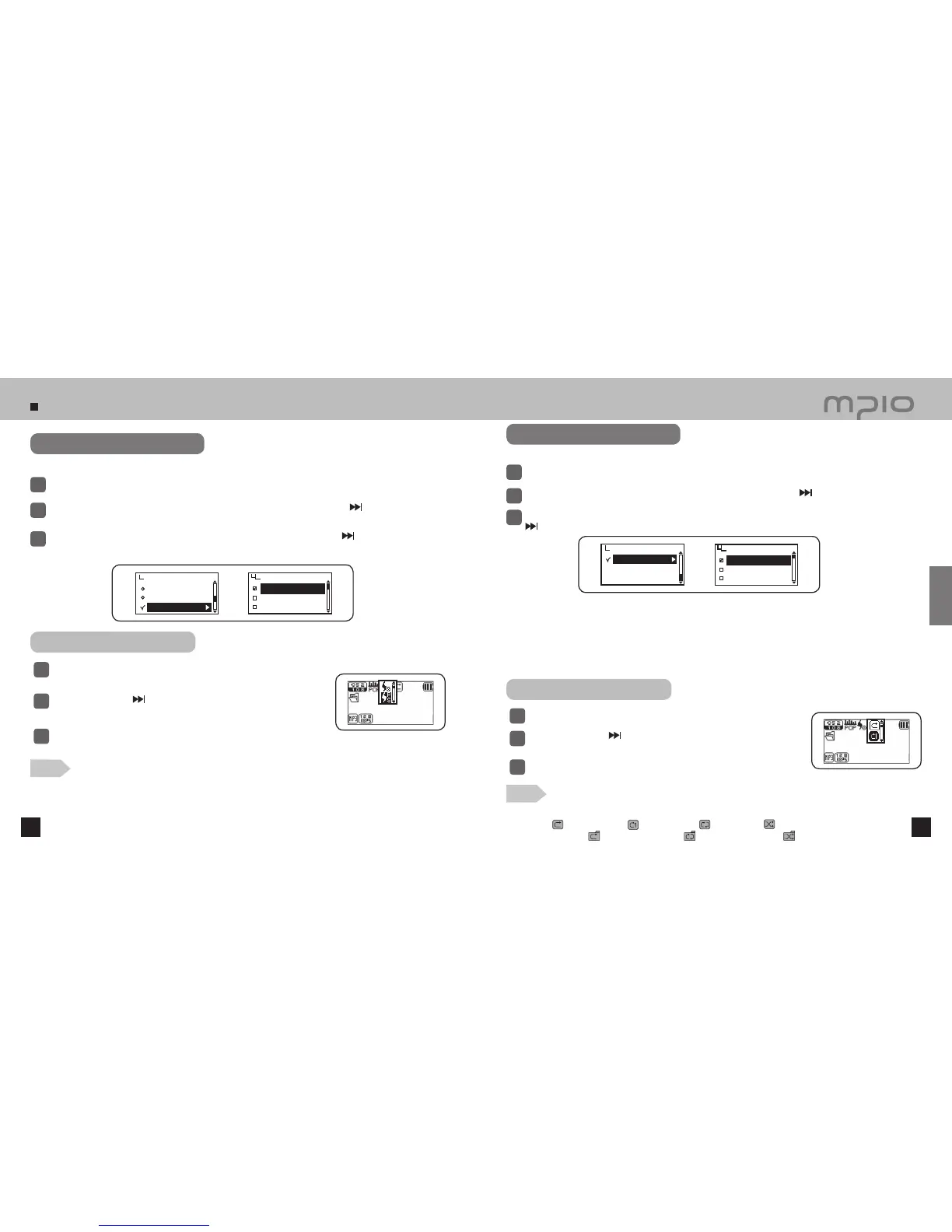
Setting Audio
36 37
Select Audio in the menu.
1
Push the lever in + / − directions to select Live 3D Effect and then, push the lever in
direction or
press it to enter.
2
Push the lever in + / − directions to select the 3D effect and then, push the lever in
direction or press it to
save. After saving, the device will return to its previous menu.
3
3D sound effect will enhance your music experience.
Changing Play Order
Select Audio in the menu.
1
Push the lever in + / − directions to select Repeat and then, push the lever in
direction or press it to enter.
2
3
Push the lever toward + / − direction to select the order of playback wanted and then, push the lever toward
direction or press it to save. After saving, the device will return to its previous menu.
●
The icon of playback changing order:
Normal (
) → Repeat One ( ) → Repeat All ( ) → Random ( ) →
Directory Normal (
) → Directory Repeat ( ) → Directory Random ( )
Normal : Plays the music file(s) once including folder
Repeat One : Repeats only one music file
Repeat All : Repeats all the music file(s)
Random : Plays randomly all the music file(s)
Directory Normal : : Plays the music file(s) once in the folder selected.
Directory Repeat : Repeats all the music file(s) in folder.
Directory Random : Plays randomly all the music file(s) in folder.
Live 3D Effect
Off
Pure Studio
Concert Sound
Repeat
Audio
Repeat
Normal
Repeat One
Repeat All
Using FUNC Button
Press the FUNC button during playback.
1
Push the lever toward
direction to select 3D sound effect icon and then,
push the lever toward + / − direction.
2
MY SONG
WESTLIFE-MY LOVE
00:00:30
Press the lever down toward vertical direction or press the FUNC
button to save the setting value.
3
Using FUNC Button
Press the FUNC button during playback.
1
Push the lever toward
direction to select the icon of playback order and
then, push the lever toward + / − direction to select.
2
MY SONG
WESTLIFE-MY LOVE
00:00:30
Press the lever down toward vertical direction or press the FUNC button to
save the setting value.
3
EQ
User EQ
Live 3D Effect
Audio
Select ‘How to playback’ of the music files saved.
Setting 3D Sound Effect
Note
Usage
●
The changing order of 3D sound effect
Off → Pure Studio → Concert Sound → Groove → Dynamic Bass
●
3D sound can not be applied during playback of OGG file.
Note



 To Next Page