Bolt™ Jr+ Quick Start Guide
30
Shutting down the Bolt™ Jr+ system
1. Move Bolt Jr+ to its Home position, for both the arm and the track.
or...
If you are going to transport Bolt Jr+ to a new location, put the Bolt
Jr+ arm into its Transport position. You can do this by using Flair
(although you might have to reset the soft limits to reach the
Transport position).
2. In the Flair software, click on the Disengage Robot button.
3. In the Flair software, disengage the track by toggling off the Track
button.
4. Press down all E-stop buttons:
On the computer stack
On the Bolt Jr+ Base
5. Close the Flair software.
6. Shut down Windows on the Flair PC.
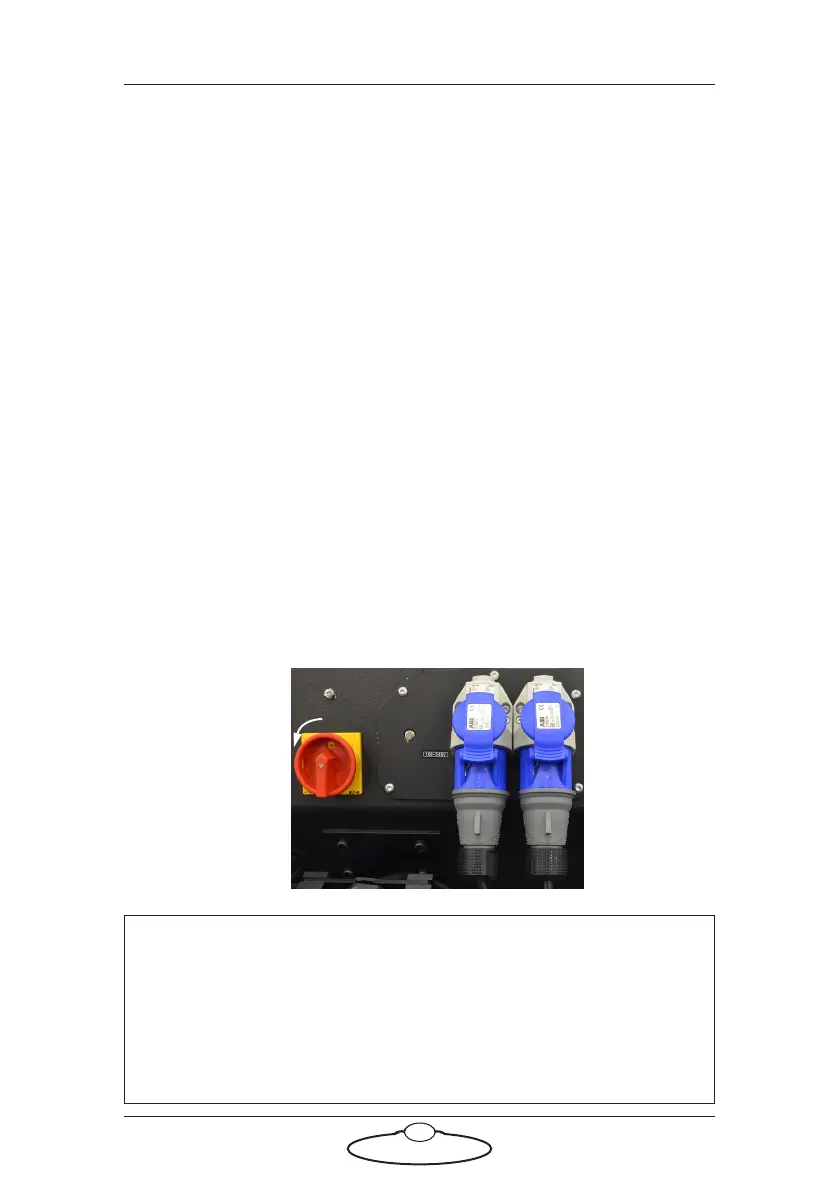
7. Turn off Bolt Jr+ as follows:
Note
To remove Bolt Jr+ from the track see Mounting Bolt (family of
robots) on the track in the separate Precision Track Quick Start Guide
and follow the instructions there in reverse order, to attach the
trolley wheels, detach the pinch motor wheels and remove the rig
from the track bearings.
Turn off the power switch on the side of the Bolt Jr+
Base.



 To Next Page