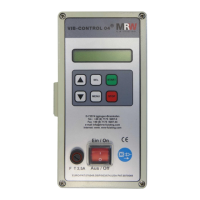
MRW Vib-Control 04
27. Oktober 2014
In order to get to the top level of the
menu, always press the “Stop” button
Freq. Automatic
v
v
Lock code
All the submenus can be selected by
pressing the button “Up” or “Down”.
Activate the submenu with “SEL”
NOTE!
All the values highlighted in yellow in the following
table are factory settings and can be defaulted to
using the “General Reset” function
Frequency search
After “Start”
147Hz > 17Hz
Press the “Start” button to start the
frequency search.
Press the “Stop” button to stop the
frequency search.
Once the frequency search is successful,
the status “STOP buttons” is displayed.
See also Chap. Fehler! Verweisquelle
onnte nicht gefunden werden.
Freq. Pre-
selection xxx.x Hz
The required vibration frequency can be
set here.
The current power consumption by the
magnetic coils is displayed. See also
Chap. Fehler! Verweisquelle konnte
icht gefunden werden.
Freq+speed contr
Quiet / Contr off
Only speed contr.
The required type of control can be set
here. See also Chap. Fehler!
erweisquelle konnte nicht gefunden
werden.
Frequency/Hertz
Current/Output
Current/Mains
The output values to be shown as
information during automatic operating
mode can be set here.

 To Next Page
 Loading...