43
Heads-Up Display (HUD)
G1 SCBA 2018 Edition
US
8 Heads-Up Display (HUD)
8.1 HUD Pressure Status
The HUD provides the pressure and alarm status through light pipes into the facepiece. The pressure
status shows on the user's right side. The alarm status shows on the user's left side. The pressure
status indicators are divided into the following four segments, which are based on the percentage of
the maximum pressure of the cylinder. Each segment is associated with a specific number and color
of LEDs.
Segments can be configured to show in intermittent mode (default), intermittent mode with continuous
at Segment 3, continuous mode, or oscillating mode.
8.1.1 Intermittent Mode (Default)
Intermittent mode shows the pressure status when there is a change from one segment to another.
This mode uses the least amount of power, providing the best battery life.
• Segment 1: At start-up with a full cylinder, LEDs come on for 20 seconds before going out.
• Segment 2: When pressure reaches its range, LEDs come on for 20 seconds before going out.
• Segment 3: When pressure reaches its range, LEDs flash for 30 seconds before going out.
• Segment 4: LEDs flash until the SCBA is shut down.
To refresh the HUD during a segment, push the RESET button to display the pressure.
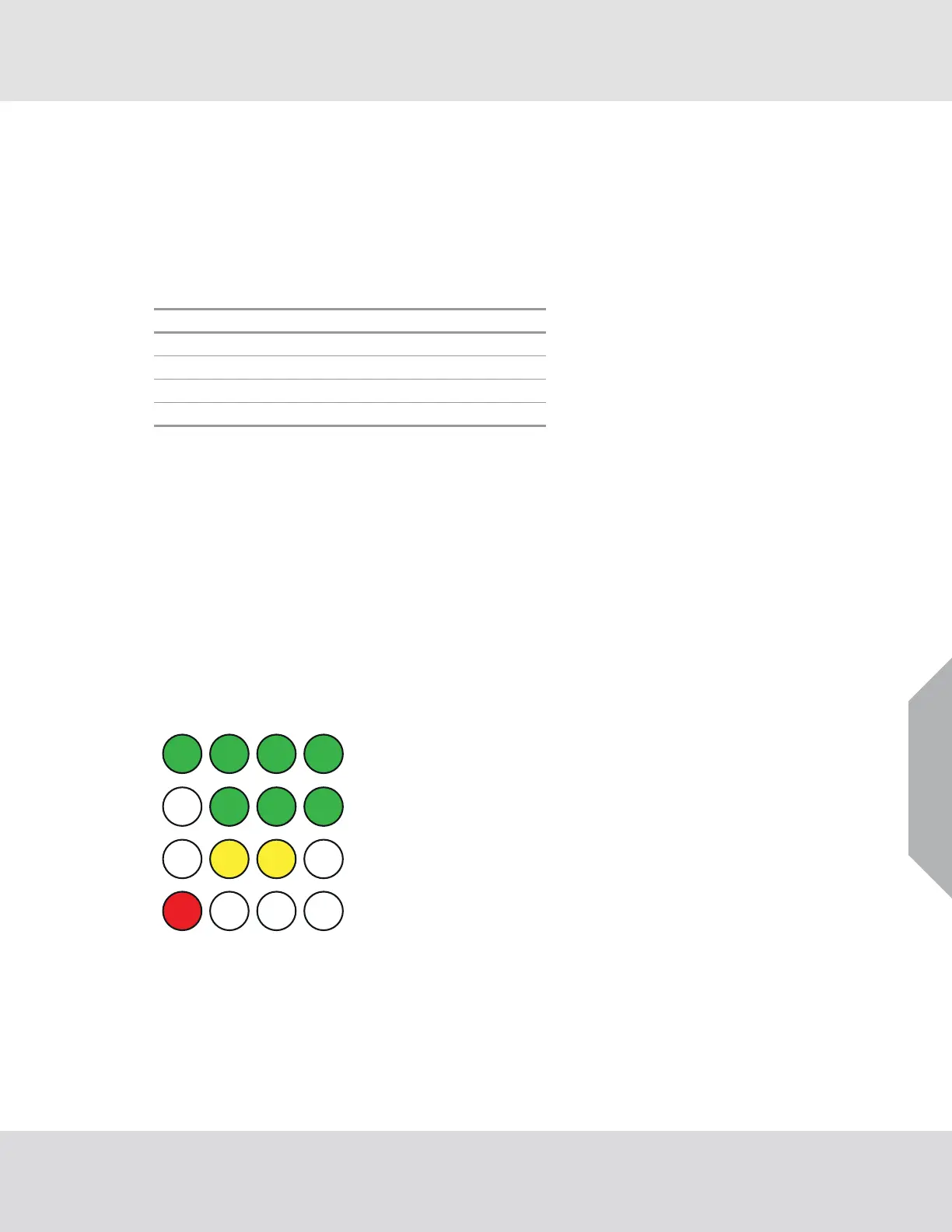
Segment Pressure Range LEDs
Segment 1 75 – 100% Four green
Segment 2 50 – 74% Three green
Segment 3 36 – 49% Two yellow
Segment 4 0 – 35% One red
Segment 1: 75 – 100%
Steady on for 20 sec
Segment 2: 50 – 74%
Steady on for 20 sec
Segment 3: 36 – 49%
Flash for 30 sec
Segment 4: 0 – 35%
Flash continuously until shutdown



 To Next Page