32
Donning
G1 SCBA 2018 Edition
US
(4) To see the battery status, push and hold both RESET buttons on the control module until the
battery icon shows.
The battery icon goes off after approximately 10 seconds.
(5) Loosen the shoulder straps as far as possible.
(6) Loosen the waist belt straps as far as possible.
(7) Assign a name ID tag, and scan the ID tag information into the control module. Refer to Section
9.4 "ID Tagging" for more information.
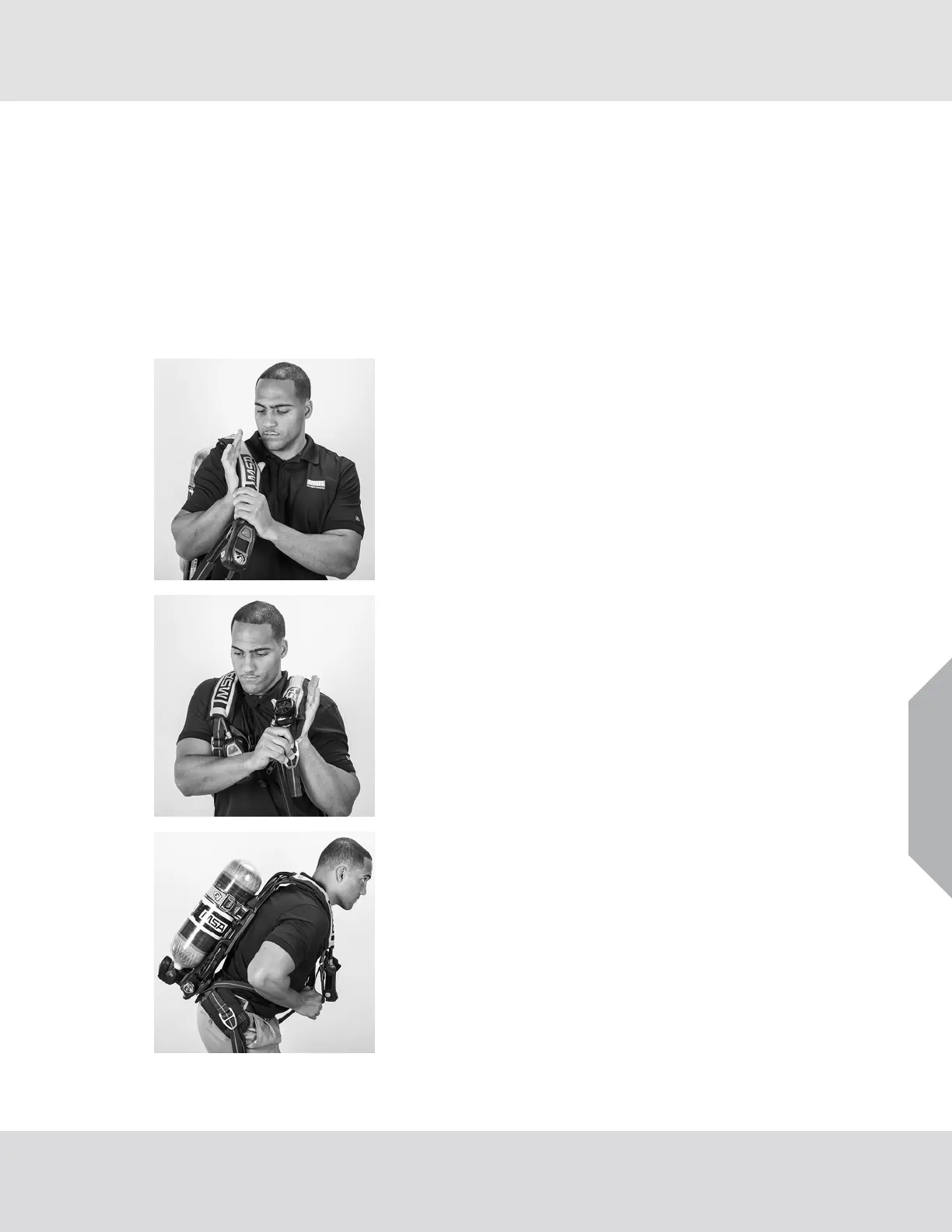
6.3 Donning the SCBA
(1) Put the right arm through the right shoulder strap.
(2) Put the left arm through the left shoulder strap.
a) Make sure the orientation of the shoulder straps is
correct.
b) If there is a chest strap, make sure the regulator hose is
on top.
(3) Bend forward slightly, resting the carrier on the back.



 To Next Page