87
Maintenance
G1 SCBA 2018 Edition
US
18.2.2 Replacing Alkaline Batteries
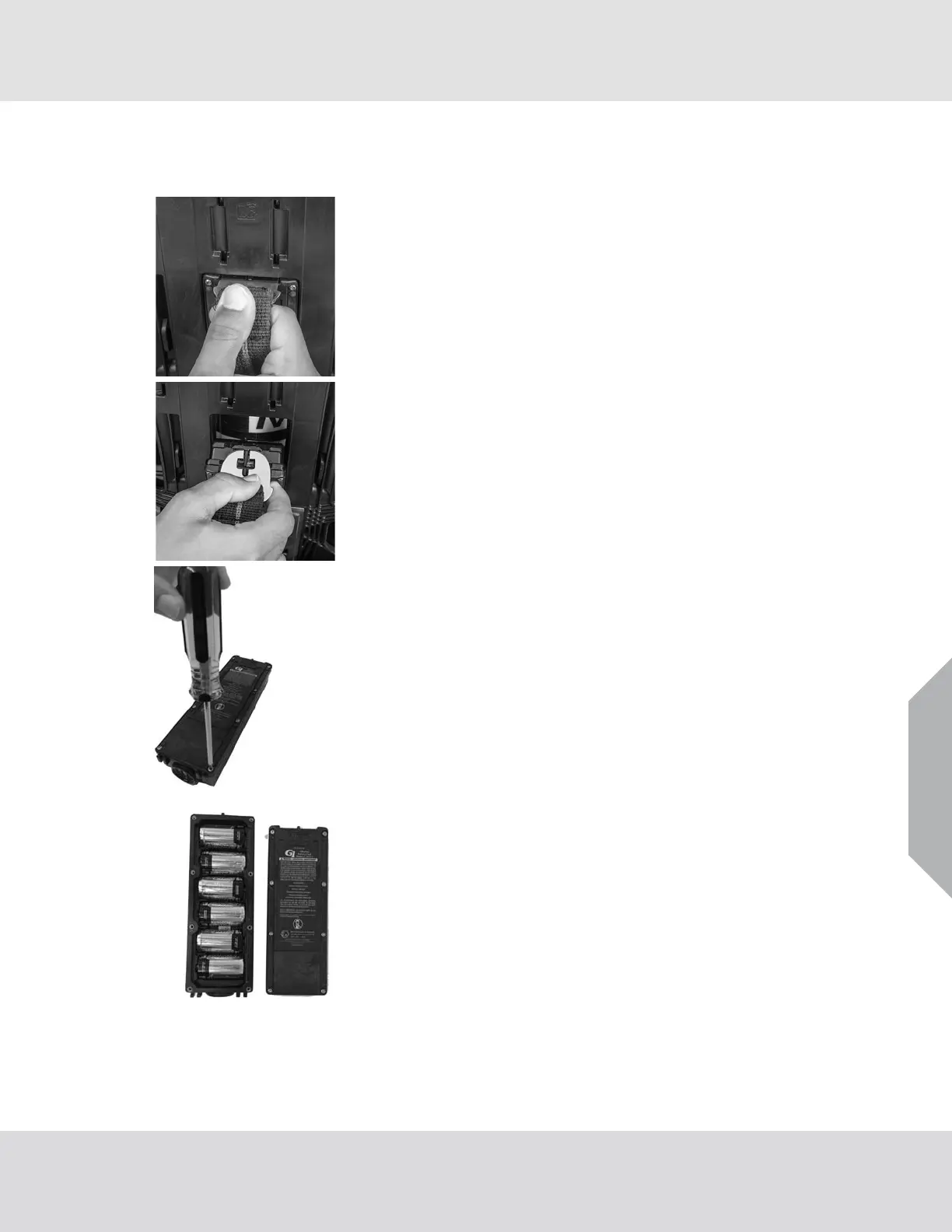
The battery module is installed on the user side of the SCBA in the middle of the backplate.
(1) Push the battery removal tool into the slot in the alkaline
battery module until the tool clicks into position.
(2) Pull the removal tool and the alkaline battery module out of
the power module.
(3) Use a T-10 Torx Tamper-Proof screwdriver to remove the
eight Torx screws from the cover of the alkaline battery
housing.
(4) Remove the cover from the alkaline battery housing.
(5) Make sure there is no dirt, debris, or damage on the cover of
the alkaline battery housing. If necessary, replace it.
(6) Make sure the gasket is in position and does not have nicks
or tears.



 To Next Page