14
CPU Socket
CPU & Heatsink Installation
Use appropriate ground straps, gloves and ESD mats to protect yourself from
electrostatic discharge (ESD) while installing the processor.
⚠
Important
Images are for illustration purposes only; actual parts may vary.
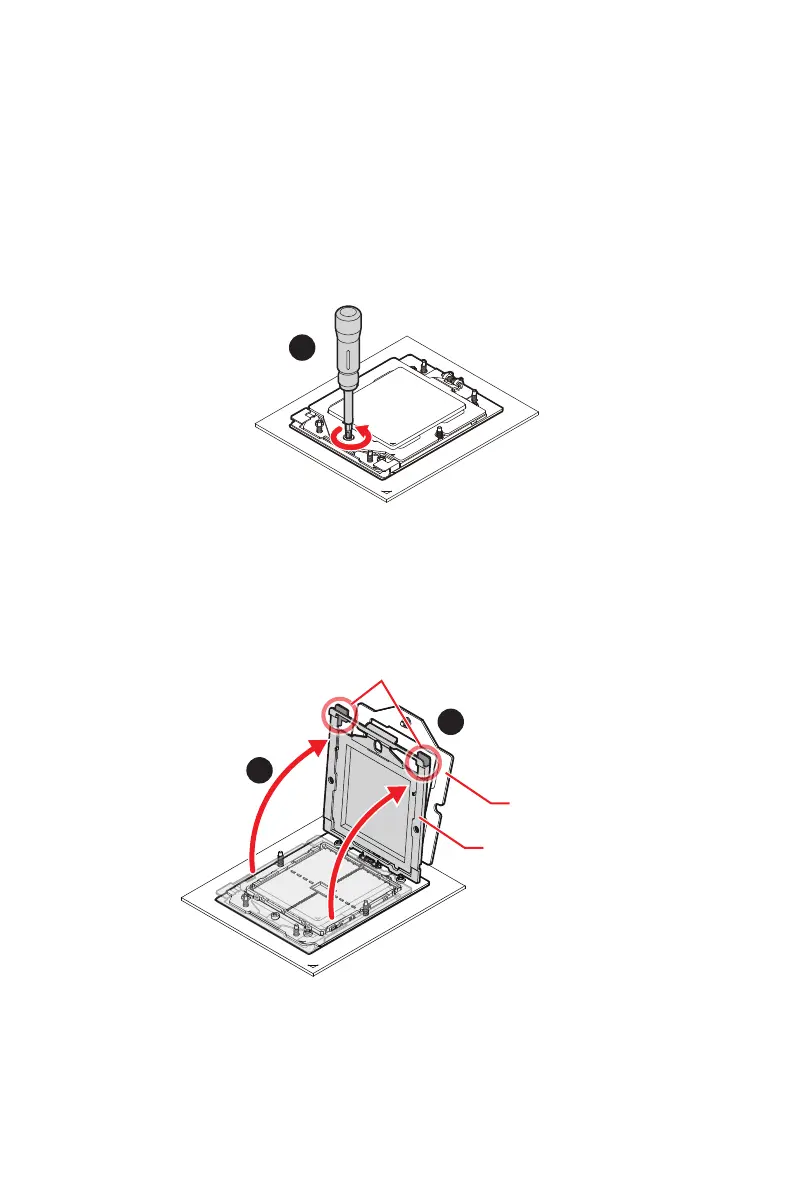
1. Remove the screw on the top of the retention frame.
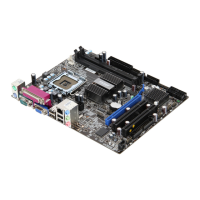
2. After removing the top screw, the spring-loaded retention frame will rise up. Hold
it gently until it is fully open.
3. Lift the rail frame by gripping the lift tabs near the front edge of the rail frame.
∙
As both frames are spring-loaded, keep a tight grip on them while lifting to avoid an
abrupt swinging motion.
Retention frame
Rail frame
Lift tabs




 To Next Page