EasyManua.ls Logo

MSI Hetis 945 - 3.2 Installation Procedures: Chassis Cover Removal; Removing the Chassis Cover

MSI Hetis 945
97 pages
Print Icon
To Next Page IconTo Next Page
To Previous Page IconTo Previous Page
Loading...
3-4
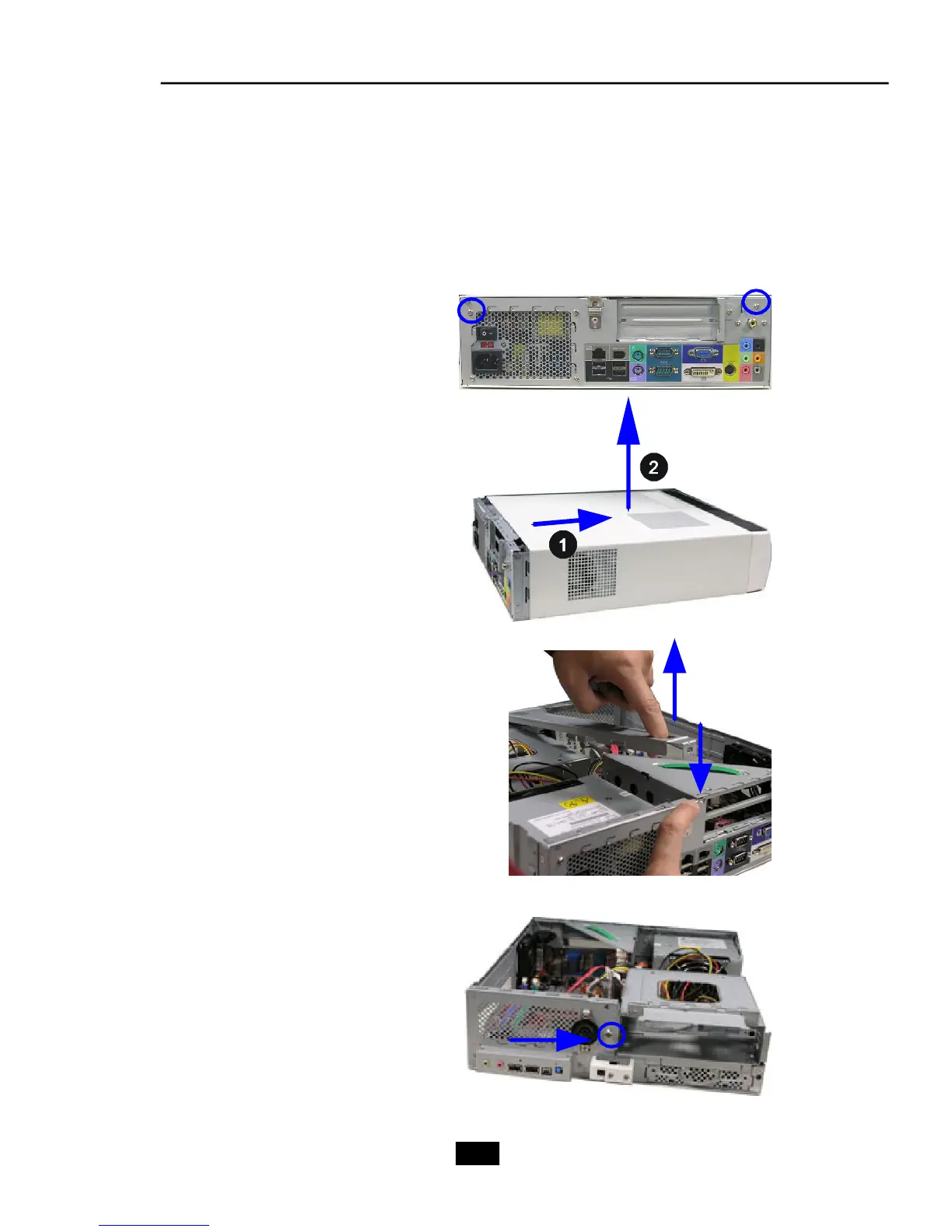
Unlock the two screws on the
backplane with hands.
Remove the chassis cover.
Press the level on the support
bracket spring to release it.
1. Removing Cover
3.2 Installation Procedures
Unlock the screw on the front
panel to release the drive cage.

Table of Contents

Related product manuals