3-6
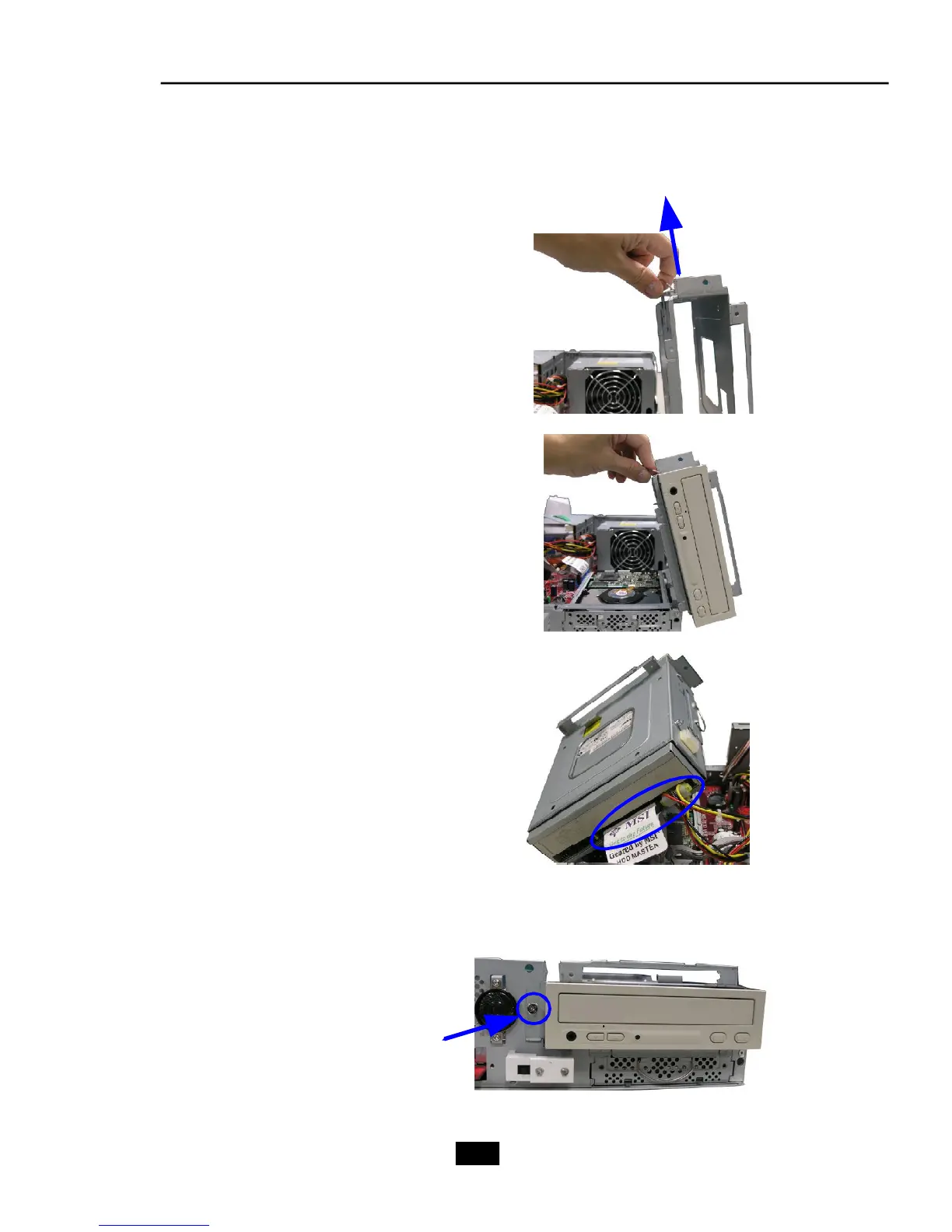
3. Installing Optical Drive
Pull the lock brackets outwards on the
both sides to release.
Insert the optical drive and push the
lock brackets back to fix it.
Connect the cable and the power cord
to the optical drive, then restore the
drive cage.
Lock the screw on the front panel
to fix the drive cage.











 To Next Page