Chapter 3 - System Assembly
3-5
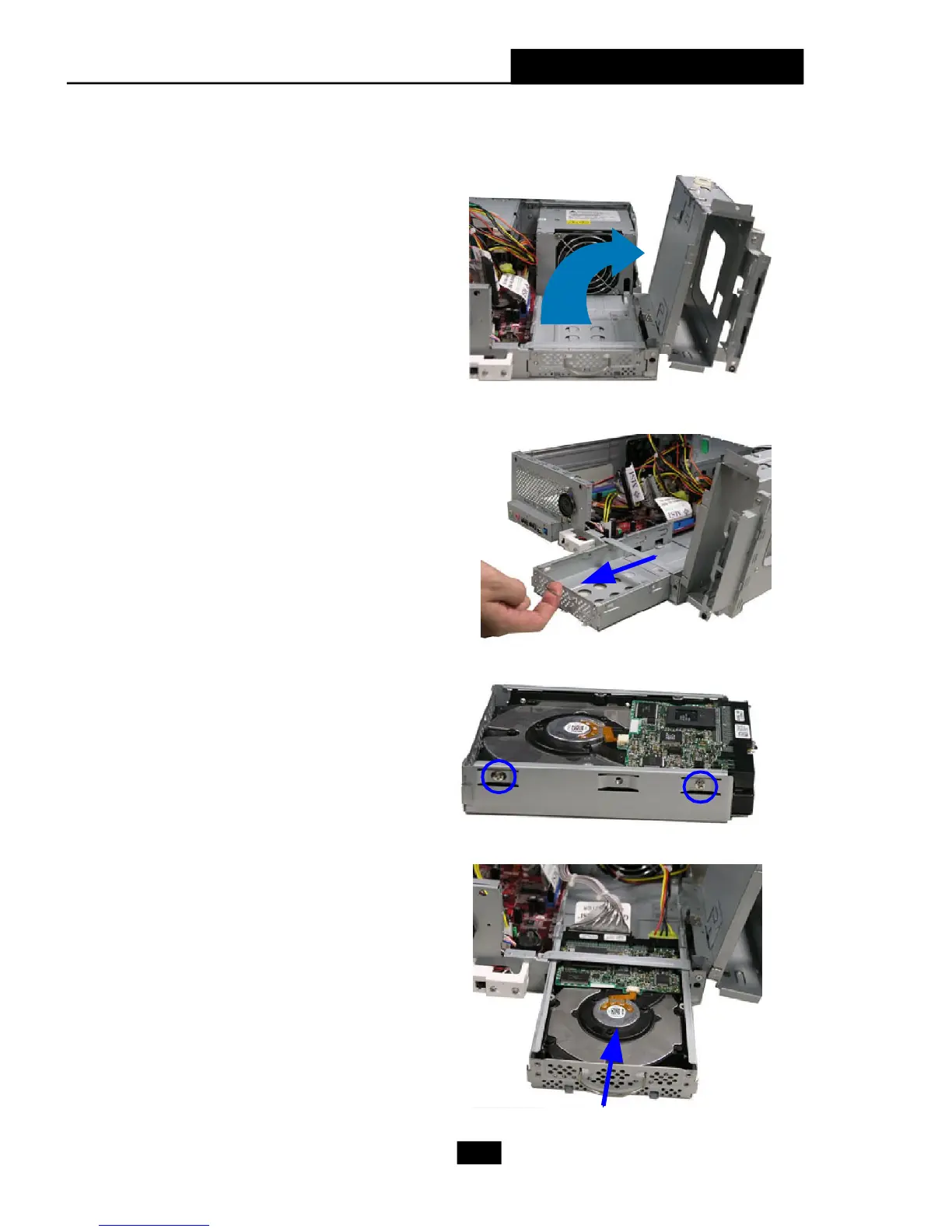
Lift the drive cage to slide aside.
Pull the HDD tray forwards to re-
move it from the chassis.
Put the HDD in the HDD tray and
use 4 screws to fix it on both
sides.
Connect the cable and the
power cord to the HDD, then
put the HDD tray back to
secure it on the drive cage.
2. Installing HDD











 To Next Page