Chapter 3 - System Assembly
3-9
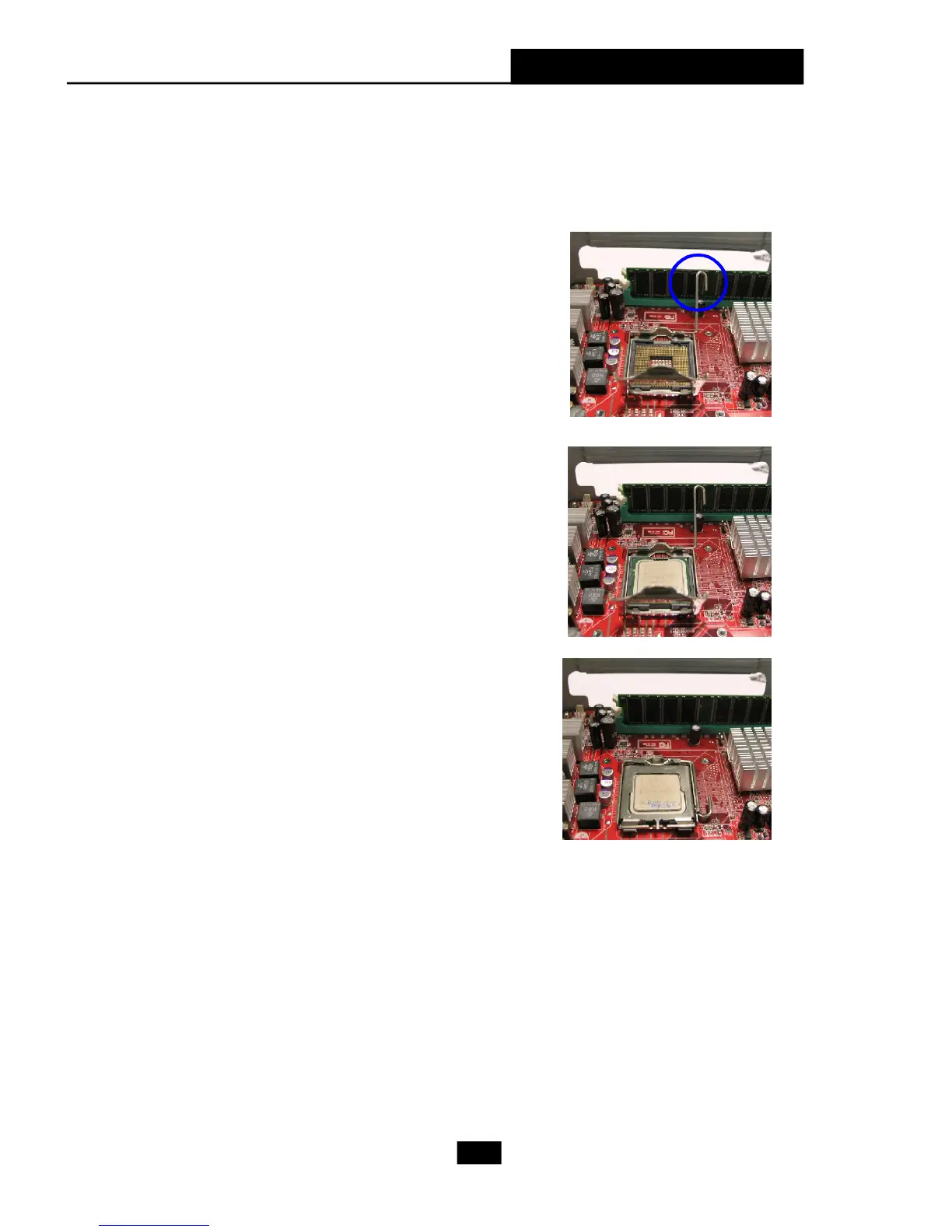
Locate the CPU socket. Pull the lever away
from the socket and raise it up, then lift up
the cover.
Close the cover and the lever to complete the
installaton.
6. Installing CPU
Put the CPU onto the socket.
Note: Make sure the pins are com-
pletely embedded into the socket. The
CPU can only fit in the correct direction.











 To Next Page