Chapter 3 - System Assembly
3-7
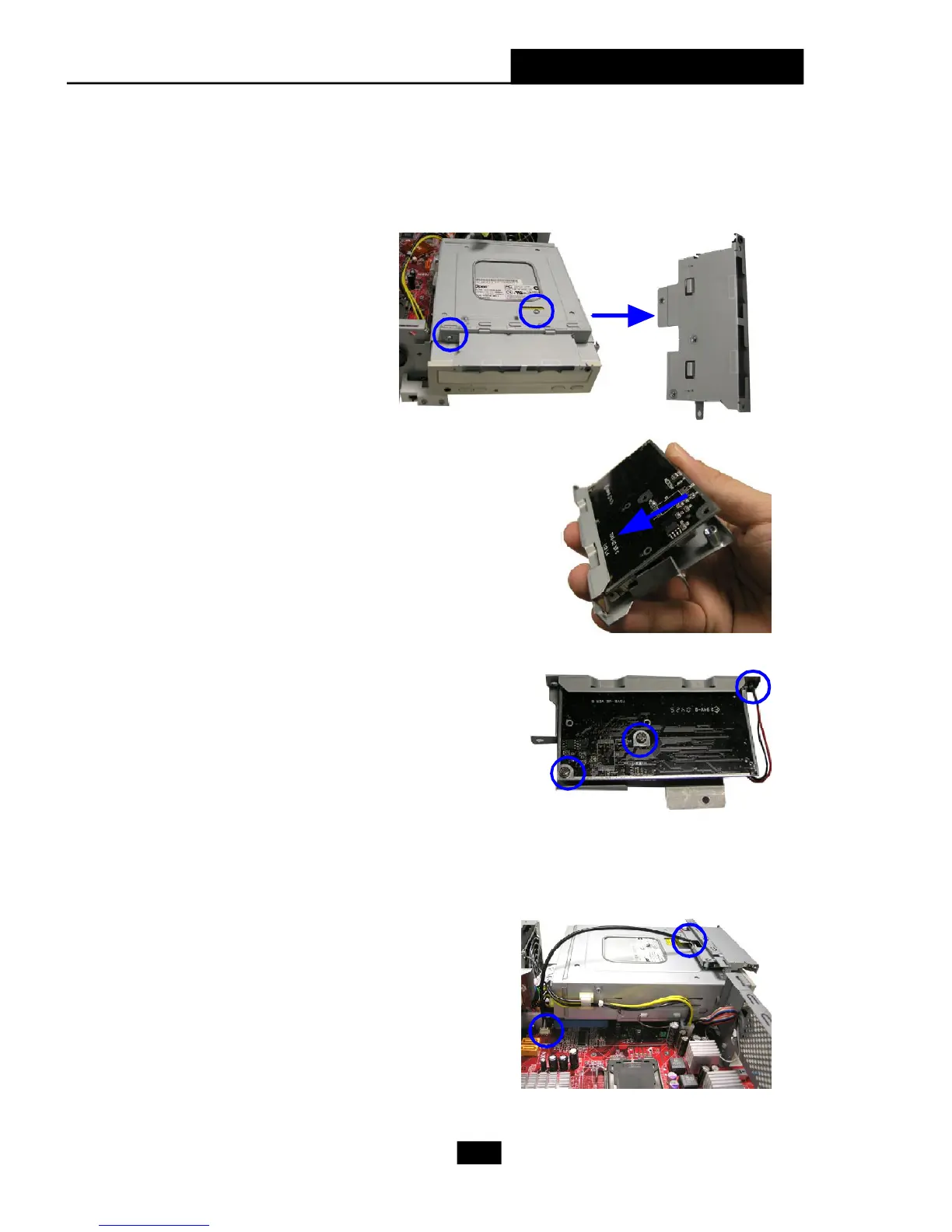
Insert the LED into the cage and lock the
card reader with two screws.
Use the screwdriver to
unlock the card reader
cage.
Insert the card reader into the cage with
15 degree angle.
4. Installing Card Reader (Optional)
Restore the card reader back and
connect the cable to the CR1 connector
on the mainboard.











 To Next Page