Chapter 4 - BIOS Setup
4-15
On-Chip Serial ATA
This setting is used to specify the SATA controller. The settings are:
[Disabled] Select this if you want to disable both SATA
controller.
[Auto] BIOS selects the mode automatically.
[Combined Mode] You can use the IDE channels with S-ATA and
P-ATA devices, and maximum of 2 devices in
each channel are supported (maxinum of 4
devices). Refer to the table below for the
combination.
[Enhanced Mode] This mode can enable both S-ATA and P-ATA,
maximum of 6 devices are supported.
[SATA Only] SATA is operating in legacy mode.
SATA Port Speed Settings
This setting allows you to specific the speed of the SATA ports.Setting options:
[Disabled], [Force GEN I], [Force GEN II].
PATA IDE Mode/ SATA Port
This Item allows you to set the parallel IDE and the SATA port operation mode.
Setting options: [Primary], [Secondary].
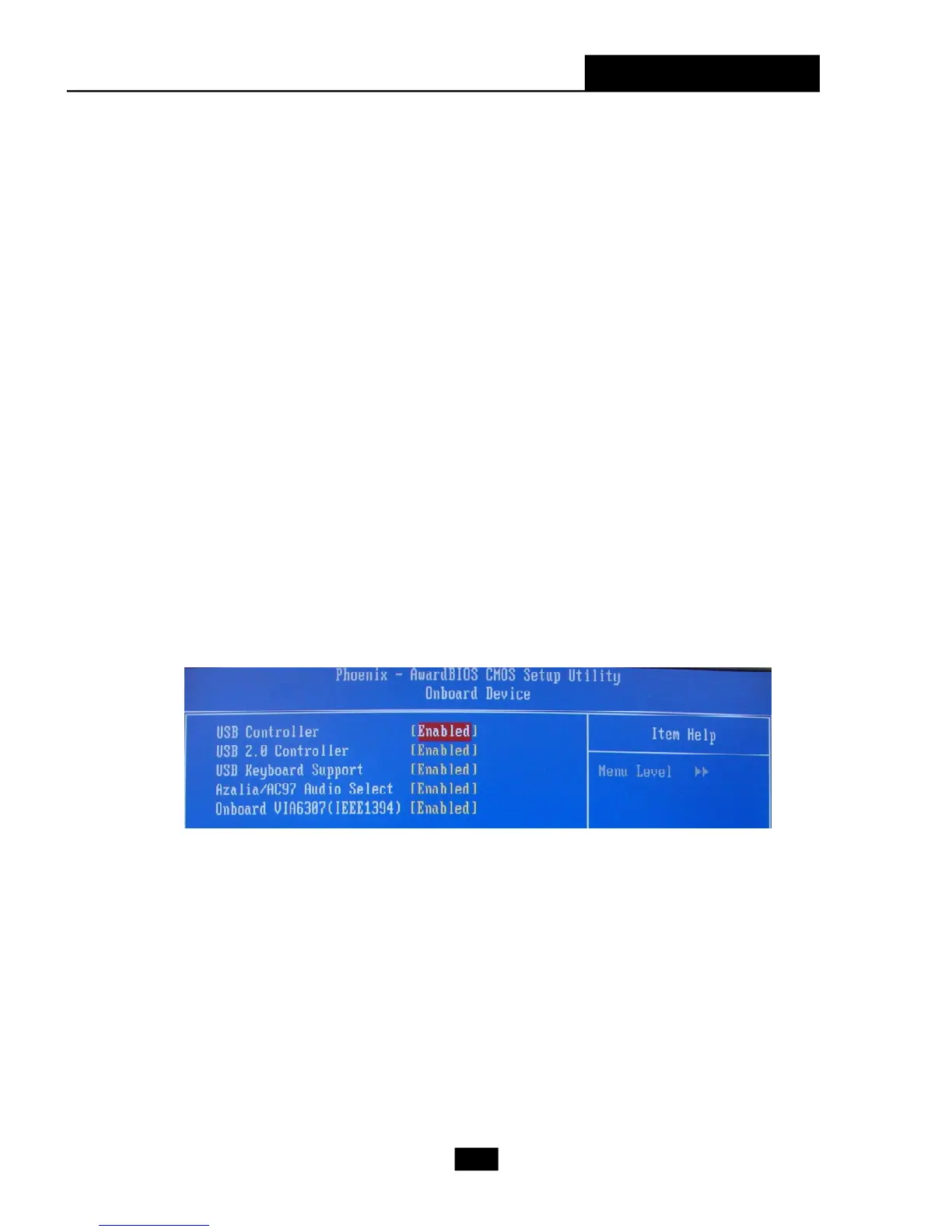
Onboard Device
Press <Enter> for the sub-menu of each item:
USB Controller
This setting is used to enable/disable the onboard USB host controller. Setting
options: [Disabled], [Enabled].
USB 2.0 Controller
Set to [Enabled] if you need to use any USB 2.0 device in the operating system
that does not support or have any USB 2.0 driver installed, such as DOS and
SCO Unix. Setting options: [Disabled], [Enabled].
USB Keyboard/Mouse Support
Set to [Enabled] if you need to use a USB keyboard/mouse in the operating
system that does not support or does not have any USB driver installed, such
as DOS and SCO Unix. Settings: [Enabled], [Disabled].












 To Next Page