Chapter 5 - Introduction to Realtek ALC 888
5-9
2. Recording
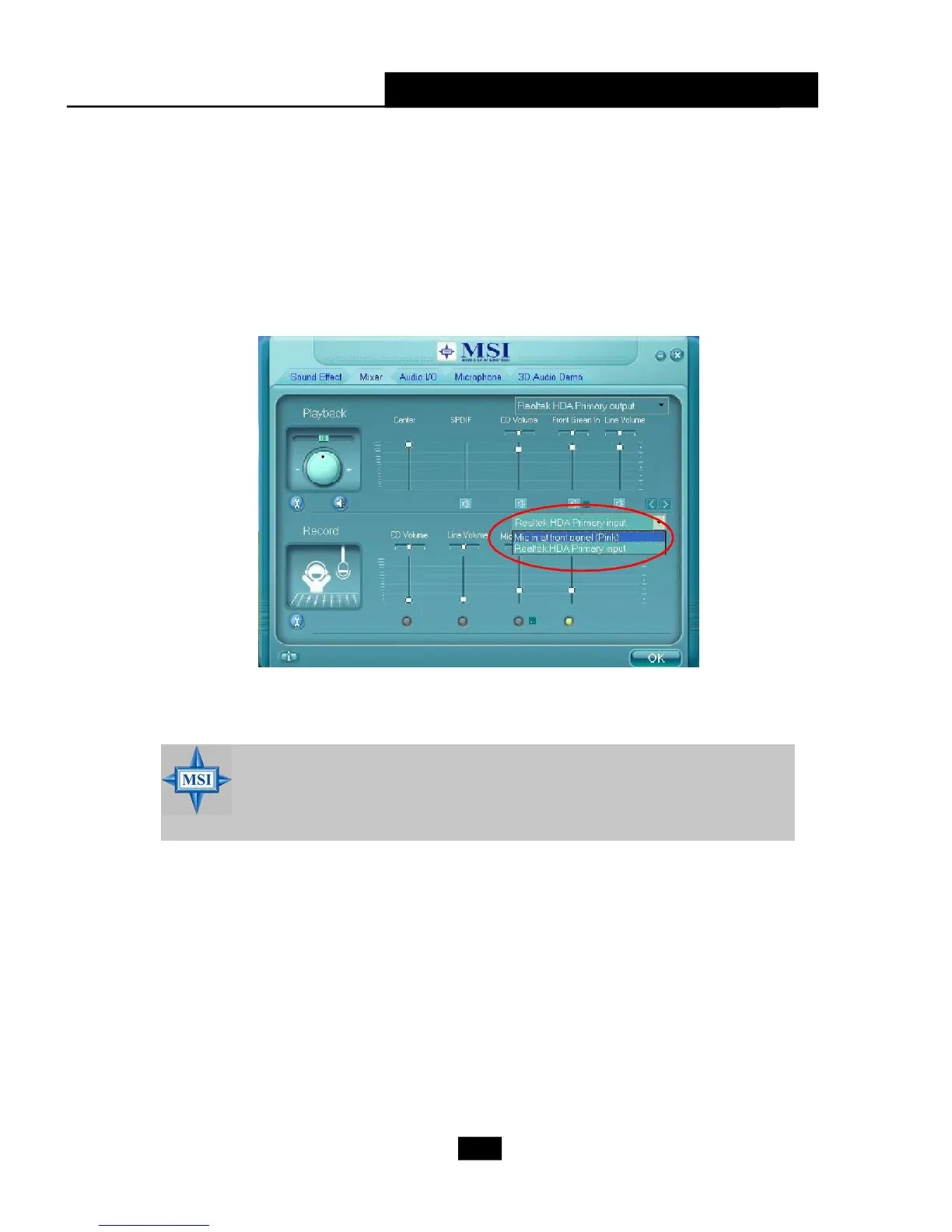
If you want to use microphone to record, usually the microphone is con-
nected to the MIC jack (the pink one) in the rear panel. You can start recording in this
case. If you’d like to connect your microphone to the front audio panel, please select
the Mic in at front panel (Pink) from the scroll list after connecting microphone to
the front audio panel.
MSI Reminds You...
Only the speakers that plugged into the Line-Out jack (the green ne) on
the back panel will be functional when you intend to listen to the audio
that has been recorded from the microphone.











 To Next Page