Chapter 5 - Introduction to Realtek ALC 888
5-13
Connecting the Speakers
When you have set the Multi-Channel Audio Function mode properly in the software
utility, connect your speakers to the correct phone jacks in accordance with the
setting in software utility.
n 2-Channel Mode for Stereo-Speaker Output
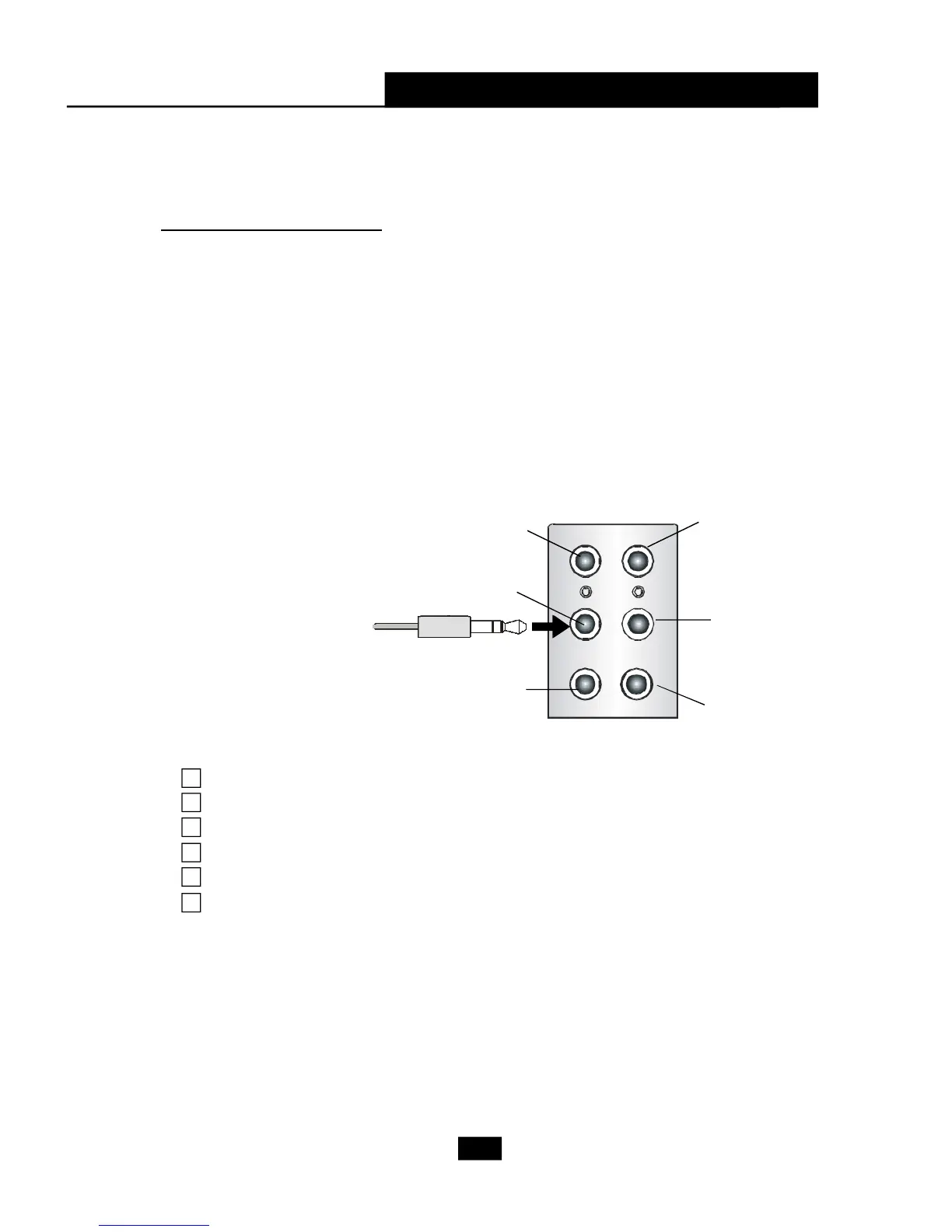
Refer to the following diagram and caption for the function of each phone jack on the
back panel when 2-Channel Mode is selected.
Back Panel
3
1
2
6
4
5
1 Line In
2 Line Out (Front channels)
3 MIC
4 Line Out (Rear channels, but no functioning in this mode)
5 Line Out (Center and Subwoofer channel, but no functioning in this mode)
6 Side Surround Out (Side channels, but no functioning in this mode)
5.3 Using 2/4/6/8 Channel Audio Function













 To Next Page