CHAPTER 2 HARDWARE INSTALLATION
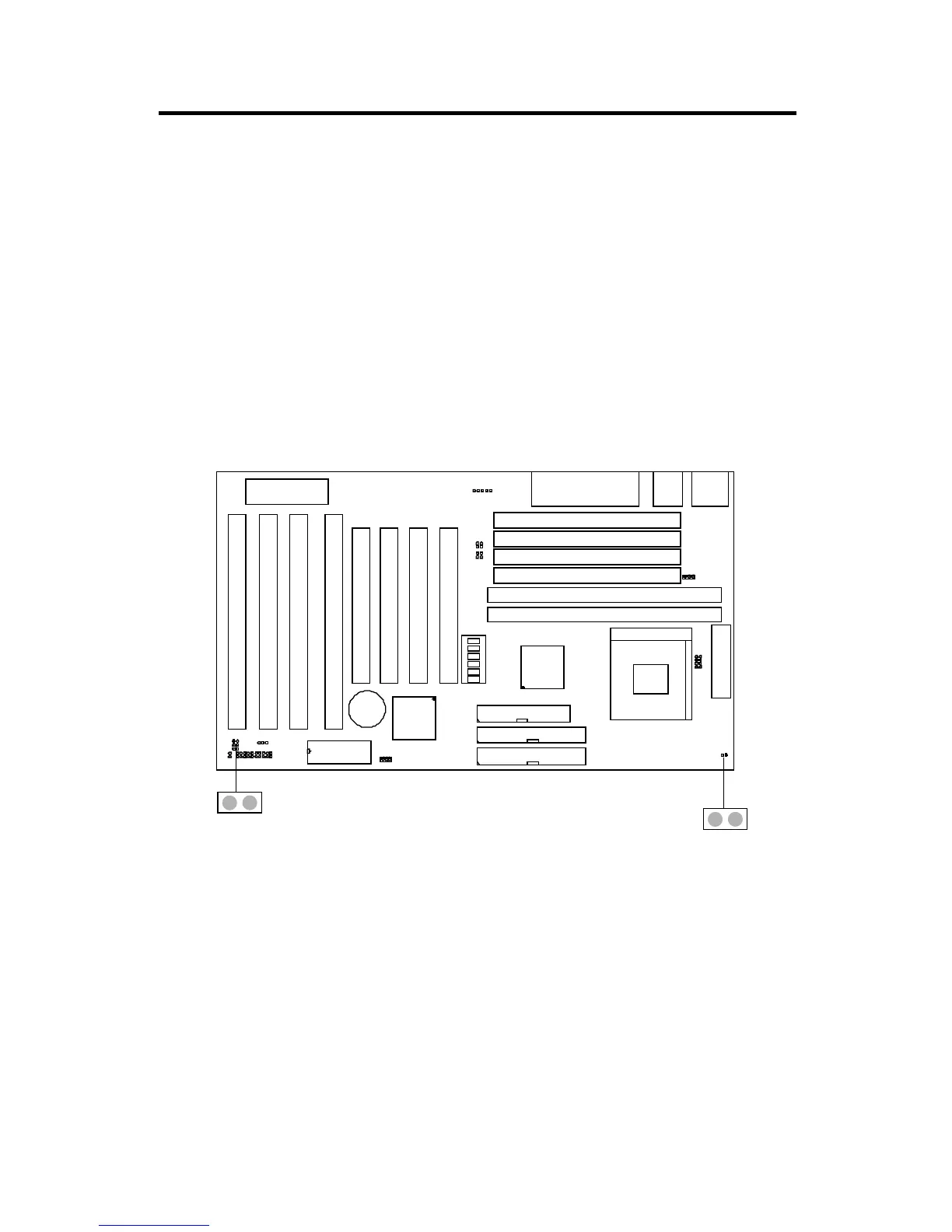
2.12-2 Power On/Off Switch: JRMS1/JRMS2
Connect to a 2-pin push button switch. Every time the switch is shorted by
pushing it once, the power supply will change its status from OFF to ON.
During ON stage push once and the system goes to sleep mode, push it
more than 4 seconds will change its status from ON to OFF. If you want to
change the setup, you could go the BIOS setup and look for Power Manage-
ment Setup.
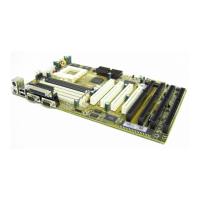
JRMS2
SIMM1
SIMM2
SIMM3
SIMM4
DIMM1
DIMM2
Socket 7
FDD
IDE1
IDE2
ISA SLOT 4
ISA SLOT 2
ISA SLOT 3
ISA SLOT 1
PCI SLOT 4
PCI SLOT 3
PCI SLOT 2
PCI SLOT 1
BIOS
BATT
+
2032
JPF
JGS
JGL
JP2
INTEL
FW82371AB
INTEL
FW82439TX
JBAT
JRMS2
JFAN
ATX
POWER CONNECTOR
KBC
IR
JV1
LPT
COMA & COMB
USB
PS/2
JV3
JV4
JV5
SW
ON
DIP
1
2
1
3
4
1
5
6
JV6
JRMS1
+
JRMS1
Note: The two switch provided by the board is just for your convenience,
The two switch has the same feature.
2-25


 To Next Page