Need help?
Do you have a question about the MSI MS-5148 and is the answer not in the manual?
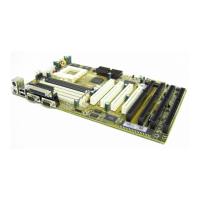
Overview of the PCI 430 TX system board, its features, and chipset.
Lists compatible Intel, Cyrix, and AMD processors for the Socket 7.
Identifies the Intel 82430TX chipset used on the motherboard.
Details cache configuration and supported memory types up to 256MB.
Lists ISA/PCI slots and integrated peripherals like IDE, USB, Serial, Parallel.
Specifies ATX form factor, size, and mounting hole details.
Step-by-step guide for installing a CPU into the ZIF Socket 7.
Covers CPU clock frequency, Core/Bus ratio, and voltage settings via jumpers and switches.
Provides V/I/O, Vcore, JV3-JV7, and SW1 settings for P54C and P55C CPUs.
Details settings for Cyrix 6x86/M2 and AMD 5K86/K6 processors.
Explains the JFAN connector for the CPU cooling fan and recommended fan specifications.
Covers Flash ROM voltage (JP2) and power saving controls (JGS/JGL).
Details the JBAT CMOS battery connector and JRMS1/JRMS2 power switches.
Details memory bank structure, population rules, and mixing DRAM types.
Step-by-step guides for installing SIMM and DIMM modules.
Lists minimum/maximum memory sizes and configurations for SIMM and DIMM modules.
Explains pin definitions for Serial (COMA/COMB) and Parallel (LPT) ports.
Details Floppy (FDD), Hard Disk (IDE1/IDE2), and USB connectors.
Covers PS/2 Keyboard/Mouse and IrDA connectors.
Describes the ATX 20-pin power connector and its pinout for power management.
Describes methods to enter BIOS Setup and use help functions.
Lists main setup categories like Standard CMOS, BIOS Features, Chipset Features.
Explains the purpose of each major setup category.
Allows setting system date, time, and configuring hard disk and floppy drive parameters.
Covers HDD interface controller types and definitions of drive parameters.
Configures CPU caches, POST speed, and Virus Warning.
Controls boot sequence, floppy seek, NumLock status, and system speed.
Manages password security, PCI VGA palette snooping, and OS selection for DRAM.
Configures DRAM timing, read/write burst, lead-off, paging, and latency settings.
Covers memory hole settings and PCI 2.1 compliance.
Configures video off methods, monitor power saving after inactivity.
Details Doze, Standby, Suspend modes, HDD power down, and CPU fan control.
Configures system resume by ring, alarm, and IRQ 8 clock events.
Manages Plug and Play OS installation, resource control, and ESCD updates.
Details manual and automatic IRQ/DMA assignments and PCI IDE IRQ mapping.
Configures IDE HDD block mode, PIO modes, and onboard FDD controller.
Details settings for onboard serial ports, UART modes, IR function, and parallel port modes.
Utility to automatically detect and configure hard disk characteristics.
 General
| Brand | MSI |
|---|---|
| Model | MS-5148 |
| Category | Motherboard |
| Language | English |

 To Next Page